
In recent months Google has integrated a remote control for Android TV into Android in the applications of Google home Yes Google tv, offering as standard a simple remote control so that we can control the most basic functions of our television from our mobile, but its few buttons and options greatly limit what we can do from the mobile.
To solve this problem, and avoid having to search for the remote, it recently reached the Play Store under the name of ‘Android TV remote control’ An application unofficial to control our Android TV from the mobile via a much more complete remote control.
This is ‘Android TV Remote’
This ‘Android TV Remote’ app claims to be the most complete remote control compatible with the latest versions of Android TV and Google TV. If our mobile is connected to the same Wi-Fi network as our Android TV, it will automatically detect the TV by displaying on the screen the code that we must enter in our mobile for the link.

With ‘Android TV Remote’ we are faced with a very complete command to control our TV with Android TV, because in addition to offering the traverse, navigation buttons and volume that the Google remote also offers, it also adds number buttons to change channel, controls to control playback, buttons to change the font (Input) from some compatible TVs or access the TV settings (three dots icon) to calibrate the picture, sound settings or channel search.

It also offers other modes to control the TV from your mobile, with other types of remote controls, such as the voice command (in English), a touch control the touchpad, or one much more minimalist butt and basic if we only want to navigate in the interface or the channels of our television.

‘Android TV remote control’ highlights in the tab applications, a section so that we can easily launch our favorite apps on the television. It offers a selection of supported applications that can be marked as favorites to see only the installed applications on the screen after clicking on the top star icon. Here, the HBO Max app is missing, but this is something the developer will surely fix in future updates.

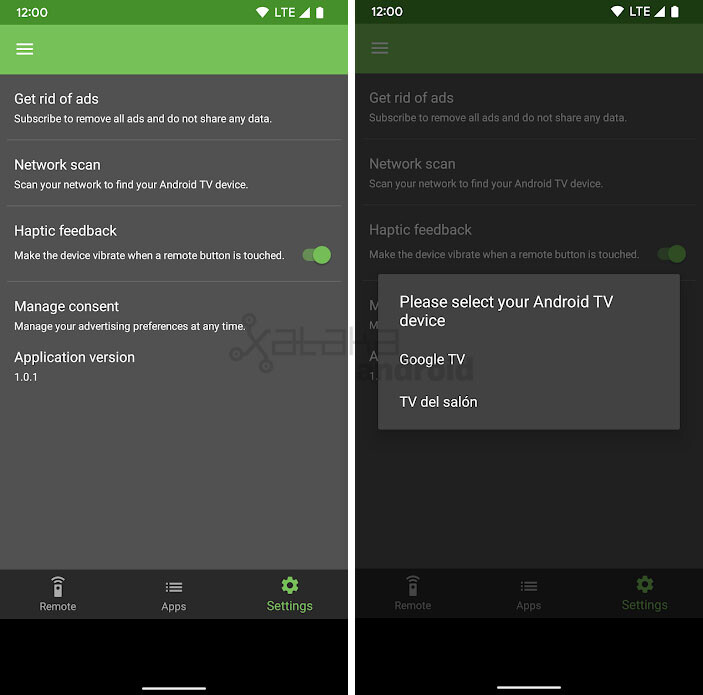
In the settings section we see that we can force a search on the Wi-Fi network to detect our compatible TVs, an option to turn off haptic vibrations or eliminate advertisements by paying 0.99 dollars per month.

Android TV remote control
- Developer: NiamorDev
- Download it on: google play
- Price: Free with in-app purchases
- Category: Tools
Via | XDA Developers
In Engadget Android | This is FLauncher, an ad-free, recommendation-free open source launcher for your Android TV


