
Related News
If there is something that makes Realme UI stand out as a layer of personalization, it is the large number of additions it has and with which you can enjoy your smartphone even more, even protect it more. One of these functions is lock apps with password, which allows you to establish another level of security before accessing sensitive applications such as banking or instant messaging.
Put an unlock code to your realme apps
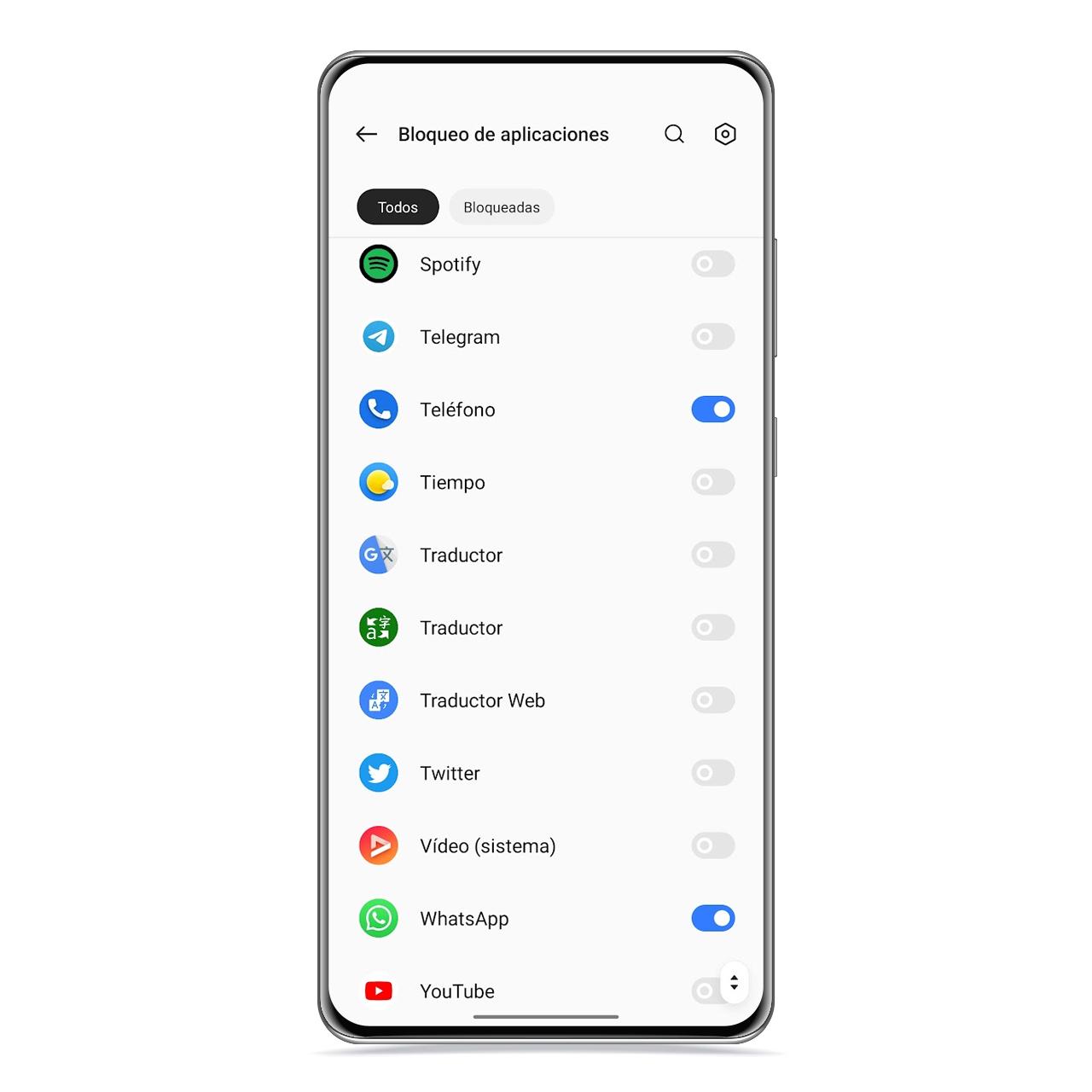
Blocked apps on realme
The free Android
It is possible to add a additional privacy for apps you select through realme UI settings, establishing an unlock code that you will need to enter before accessing the app. To enable App Lock, follow these steps:
- Open the Manager app.
- Go to the Tools section.
- Tap App lock.
If you haven’t done so yet, the mobile or tablet it will ask you to create a security code, which will be the one you will have to enter here and which will serve you for other sections, such as accessing the applications you are hiding.
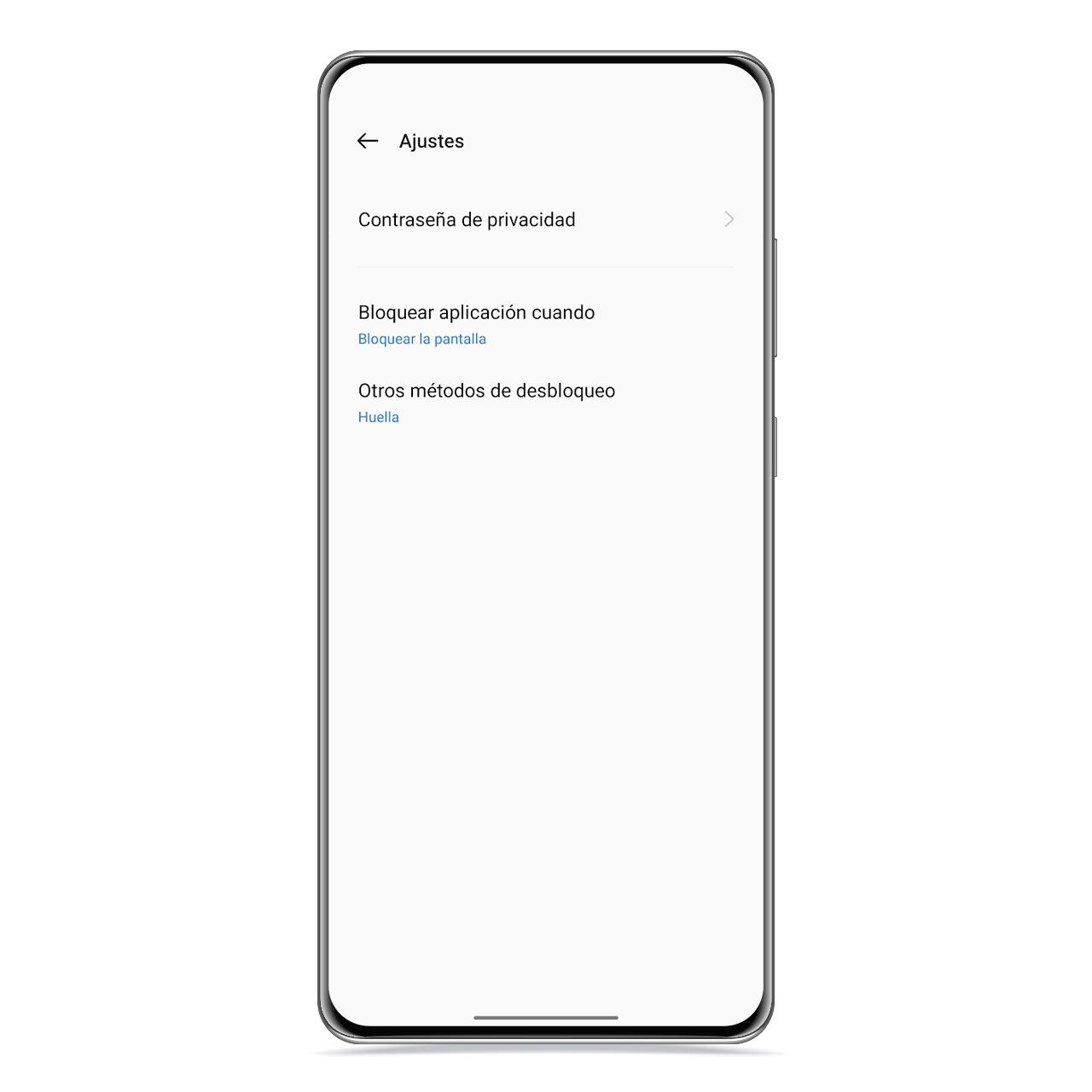
privacy password on realme
The free Android
you can also use your fingerprint to unlock each app you want to open, making the process much more comfortable and faster than using the code. Moreover, it is the safest method.
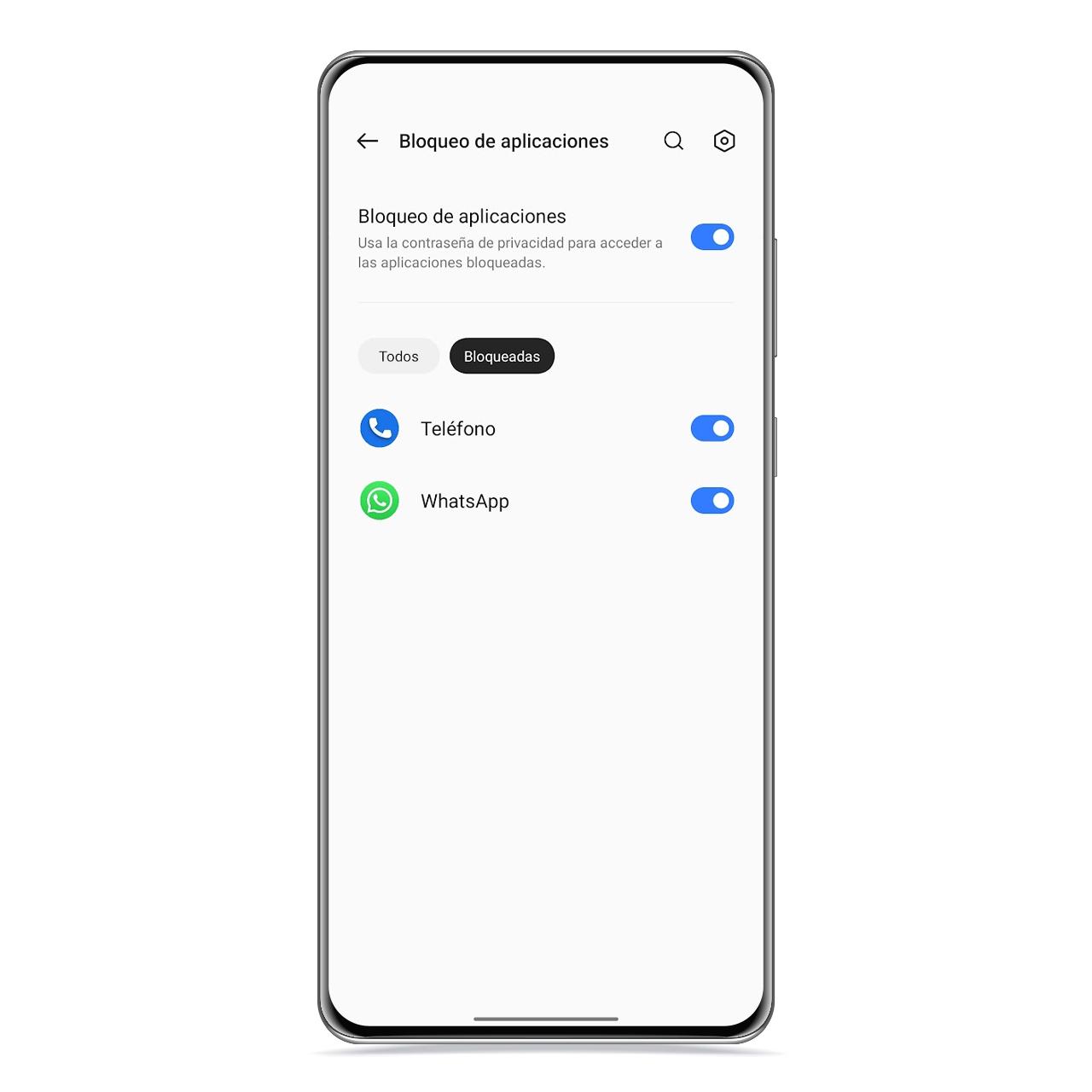
blocked apps
The free Android
With this app lock you can protect sensitive apps that you don’t want accessible for anyone to whom you leave your mobile, such as your bank, the gallery or even social networks. In this sense, you decide what to block and what not to block.
You may be interested
Follow the topics that interest you
Table of Contents


