
Related news
Cell phone screens, like monitors, televisions can cause long term damage to your eyes, especially if you have certain habits of using your cell phone, which although they do not end up causing you damage. they can be a nuisance occasional for your eyesight.
Manufacturers are aware of this, and that’s why they integrate in their mobiles different modes which aim to protect your eyes and ensure that the use of the smartphone does not have such a negative impact on them.
Xiaomi, like other brands, includes both reading mode and black and white mode in their mobiles, and the former has improved significantly over time, including more options that allow you to enjoy better experience with him.
Make the most of the reading mode of your Xiaomi
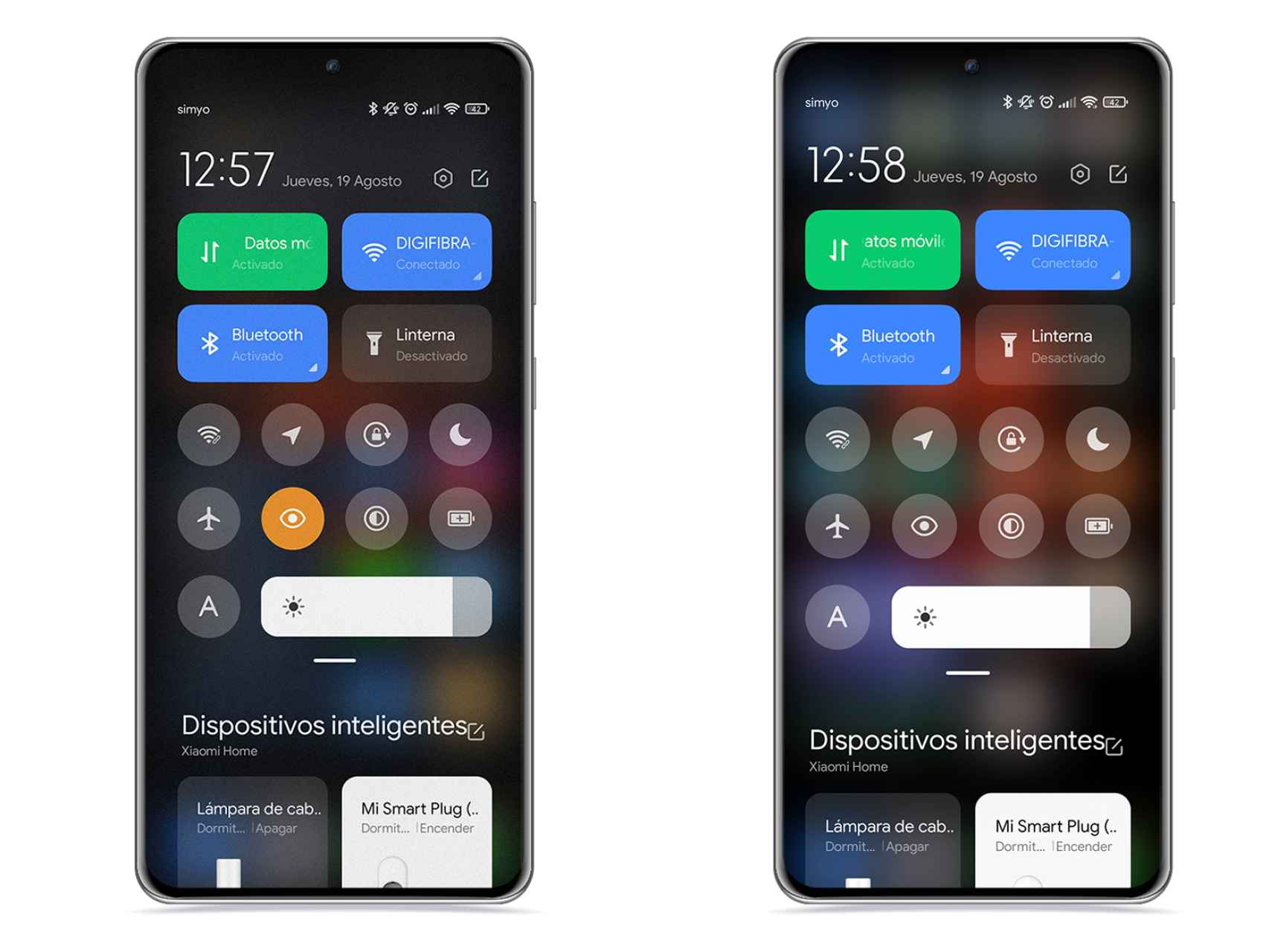
Textured reading mode on (left), reading mode off (right)
Free Android
You have a Xiaomi tablet or mobile, the reading mode available to MIUI is a great advantage that can make your eyes much more comfortable when going for a long period of reading, which can positively affect your rest.
First, open the Xiaomi reading mode settings by following these steps:
- open Settings.
- Credit Filter.
- open Reading mode.
- Press on Paper
Once you have done this, you will see that by pressing the arrow next to Paper, the firm offers you the possibility of modify some parameters so you can leave this viewing mode to your liking and in the way that suits you best.
First, you can change the screen color temperature. That is, you can make their colors tend more towards sepia or blue depending on your preference. Here you have to keep in mind that the more you tend to sepia, the less effort your eyes will have to put in, but the more unreal the colors will be.
On the other hand, there is a section on texture in which, the higher the level, the more a pattern of small imperfections will be noticeable all over the screen which will make the screen look like a sheet of paper, which also has an effect on the eye, but makes all the elements they look pretty grainy on the screen.
Beyond that, you can modify the color pattern, be able to choose between the usual mode, a mode with soft colors and one in black and white. Both are pretty good options depending on the situation.
How to bring the play mode switch into view
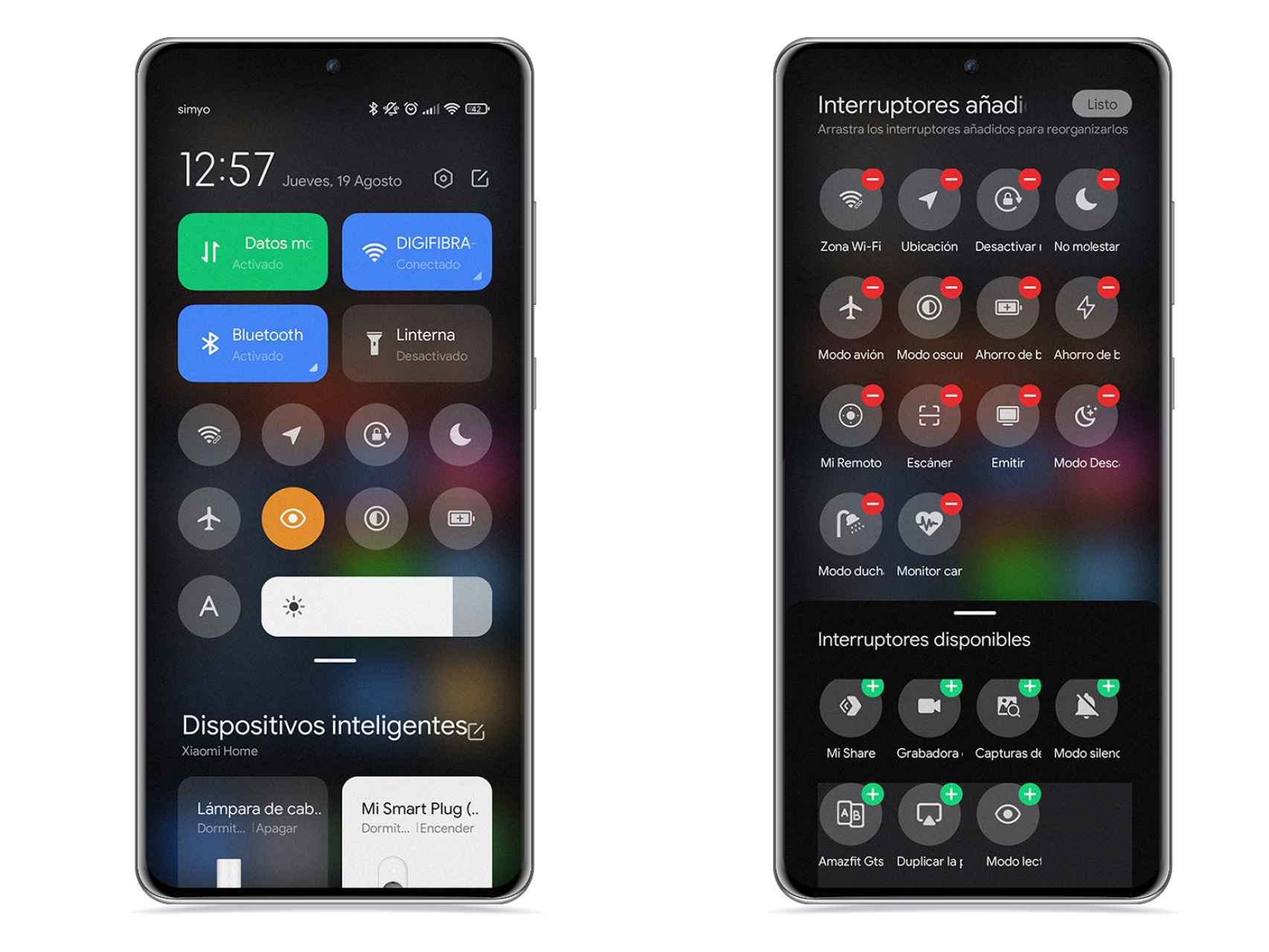
Quick settings on Xiaomi
Free Android
Once you have configured this mode, you have two options, which are to scroll through the settings each time you want to activate it, or put quick access to a visible point of the quick adjustment curtain, which is perhaps the most effective. To do this, follow the steps below:
- Lower the curtain on quick settings
- Click on the edit icon, located at the top right.
- Locate the icon Reading mode and press +.
- Place it in the position you want.
With quick access to Reading Mode in the notification curtain of your Xiaomi, you can activate it from any screen or application to protect your eyesight. In addition, if you hold down this icon, you will access its settings.
Like the “Special Features” of the company’s mobiles, Reading Mode is a great addition that can come in handy on more than one occasion, and if you try it at a time when you have sensitive eyes, you will see for yourself. that supposes a a little relief when using the mobile.
it may interest you
Follow the topics that interest you
.
Table of Contents


