
Although many people opt for the use of Microsoft Excel for their great popularity, the truth is that figures are a most interesting alternative
When you work with spreadsheets, Large majority users think of Microsoft Excel For the great popularity that he has managed to acquire in recent years when he is compatible with all platforms. However, the truth is that Apple numbers are always widely used Among the brand's users, mainly because of its great ease of use and to be free.
More specifically, numbers have always been one of the essential applications for Mac, as well as a good option to convert the iPad to a portable office and, in reality, have Certain advantages compared to Microsoft Excel that some people neglect And it is practical to take into account, especially when you choose between one and the other or if you plan to subscribe to Microsoft 365 to have access to Office and use the brand option.
What are the best numbers than Excel?
As we have said, as a rule, it is usual to choose Microsoft Excel, because it inevitably relates to the concept of spreadsheet for years for its great popularity. However, the reality is that, according to what is used, Apple numbers can end up providing better user experience Day by day.
The price: a differential factor
Before choosing a solution or another, It is interesting to take into account the price. Although it is possible To be able to use the full version of Microsoft Excel, you must go through the boxBecause this is a program that is part of the Microsoft Office suite. Getting the Microsoft website, we see different subscription and purchase models that allow access to Excel and, for example, we see how the Amazon price amounts to 149.99 dollars for the Home Package Office, which offers access to current publishing without updates for life, or 64.99 dollars for the Microsoft 365 personal package, which must be renewed each year.

To use Microsoft Excel, it is essential to pay for office
If it is true that there is the possibility of using Excel for free from its web version, the reality is that this method is, on several occasions, boring enough to need the internet, to always work in the cloud and do not incorporate all the functions, in addition to having advertising. In the meantime, Only a few clicks separate you from the desktop application of complete numbersWith all its features and without installing additional elements of the iWork package.
Greater ease of use, especially for beginners or when there is not much data
It is perhaps for its clearest and cleiest design or for its side options panel, but The figures are, for beginners, less overwhelming than Excel. In general, you could say that It's more intuitive Even if you have never worked with spreadsheets, an aspect to appreciate very positively, in addition to having simple models to start and discover its different features.
In addition, they don't stay there. Although Microsoft Excel guides available online are also very useful, the truth is that The numbers are very well documented. If in doubt, it is possible to open the application of advice and, in general, There are guides of practically all features. It is interesting that they are classified by sections and difficulties, able to follow them from the start.

Numbers have many tutorials and user user guides
In addition, if it is available in the region and equipment, also It is possible to use Apple intelligence features on numbersallowing him to get the most out of AI, although in the case of Microsoft Excel, it is also possible to have the help of Copilot in some of his subscription plans.
More attractive and visual graphics
Another aspect to consider is The graphics. And, in number, create them with a Attractive and easy style Understanding is quite simple. By default, follow the aesthetics of Apple operating systems, which is why they are generally good. AND, By simply clicking on them, it is very easy to adjust one of the aspects linked to it, or simply the data presented.

The creation of visually attractive graphics is very simple with apple numbers
This This does not mean that Excel graphics are not good. In fact, they offer many configurations and there is a little creation for specific purposes. In fact, it is possible to create practically any graph with the style of numbers in Microsoft Excel, but the reality is that Get so well from the first moment can be somewhat complicatedEspecially for the most inexperienced users.
Dedicated, easy to understand and free models
If it is true that there are many models available for Microsoft Excel, the reality is that Numbers are much more intuitive. They were created by Apple to be easy to understand and use by any user, even if it is their first use of the application. There is practically everything that a user may want to use numbersIncluding an initiation that shows the different components that can be used, being completely free.
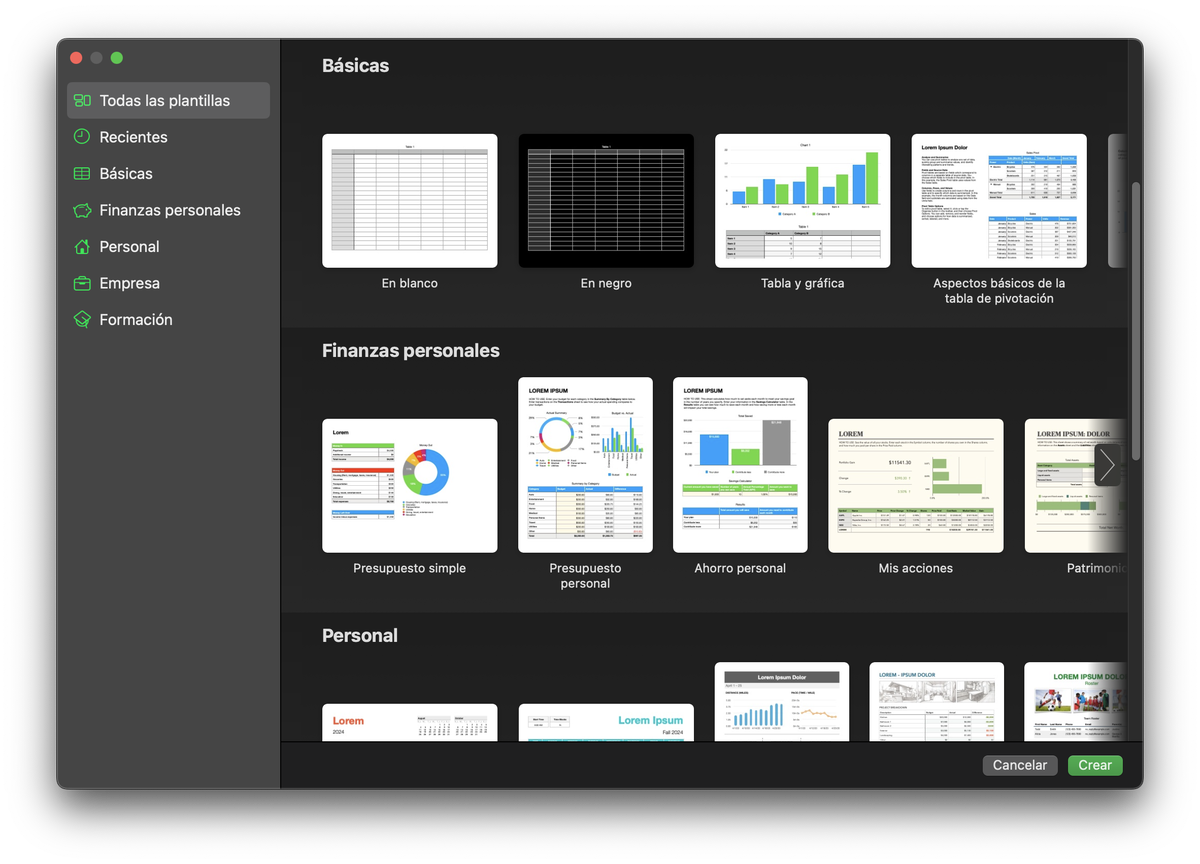
Numbers have a multitude of pleasant and easy models
Leaving more to the internet plane, it is generally Microsoft Excel models easier to find by third parties Since then, after all, it is the most used tool. However, as with other solutions such as Google Sheets, Numbers can also open Excel files No problem, you can therefore use the vast majority of these models with the many advantages that the figures offer.
Greater integration with Apple products
Another aspect to consider is the Integration with Apple products. In the case of Excel, the only possible integration is with OneDrive, with all that that implies inside and outside the brand's ecosystem. In the case of figures, it offers Complete cloud synchronization thanks to iCloudBe very simple to modify and collaborate with spreadsheets at any time and any place.
The numbers have its own file dedicated in iCloud, being the place where the spreadsheets are stored by default, although another can be chosen at any time. So, Everything is available on all devicesAnd at the time a document began to be published, it was shown in all products thanks to To put back. And, if at any time, it is necessary to access a Windows PC or any other operating system, always Can be done via iCloud.com.
File export is easier
Finally, although the format .Numbers Used by Apple's application, it does not prove to be the most compatible, the reality is that, if you want Share a spreadsheet so that anyone can accessThe numbers offer simpler and more useful options. It is possible, for example, to generate a PDF file with the calculation sheet in question, to personalize what should be seen and what is not, or how said file must be created.
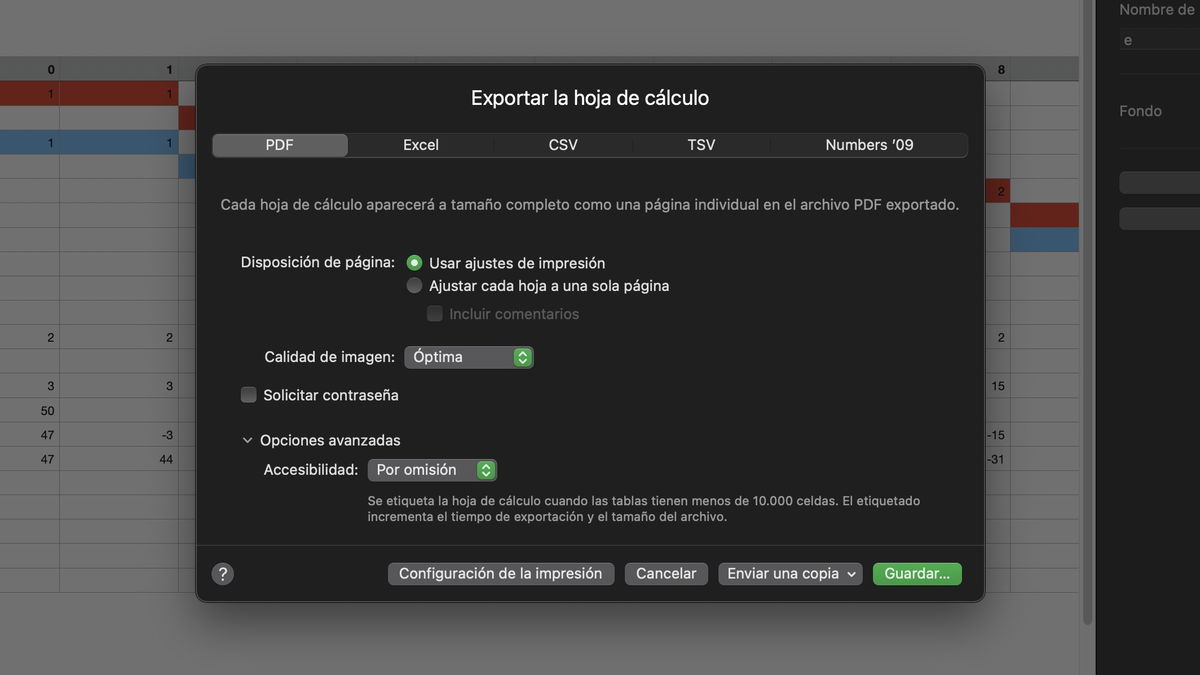
The numbers offer enough options when exporting files that Excel
In addition, It is also possible to generate an Excel file from a sheet for calculating numbers. In this way, you can start working with this tool and, in the event that it is later required for any reason, make the modification corresponding to the Microsoft tool to continue to edit.
You can follow Ipadi On Facebook, Whatsapp, Twitter (x) Or consult our Telegram channel to be up to date with the latest technological news.
This article suggests in a form Objective and independent Products and services that may interest readers. When the user makes a purchase via the specific links that appear in this news, Ipadizate receives a commission. Join the Ipadizate Chollos canal to discover the best offers before anyone.
Table of Contents


