
Map out your ideas from the comfort of your iPad with these apps.
You would like create concept maps from your iPad By a simple and fast way? If you’re looking to visually organize your ideas, you’ve come to the right place. In the digital age we live in, there are many mind mapping apps from the convenience of your mobile device, especially from your iPad.
These mobile tools work not only for structuring presentation outlines and summaries, but for any school or college stage work.
Easily and Efficiently Create Concept Maps on Your iPad with These Apps
- Wondershare EdrawMind MindMap
- Mind Mapping – MindMeister
- Lucidchart
- MindNode – Mind Map and Plan
- Miro: online whiteboard
- iThoughts – Mind Map
- Ayoa’s Ultimate Mind Map
- MindFlow – Structure Flowchart
- Lucidspark
- Mural – Visual collaboration
Wondershare EdrawMind MindMap

Visualize Your Ideas with Wondershare EdrawMind MindMap
Wondershare EdrawMind is one of the best educational apps for iOS. It was designed for create mind maps from scratch and for visually organize information with a radial structure and various designs, whether flowcharts, diagrams, timelines and more.
On this platform you can generate concept maps instantly and even sync them automatically with iCloud. Additionally, you can share your work with others via social networks or a web link with a single click.
Mind Mapping – MindMeister

Turn your ideas into reality with MindMeister and its Mind Mapping
Mind Meister is another good alternative for visually organize your ideas. with this you can create up to 3 mind mapscustomize colors and styles, add notes and links, and draw connections between nodes for free.
You can also read presentations, share maps and collaborate in real time. It is easy to use and supports multi-touch functionality.
Lucidchart

Bring your ideas to life with Lucidchart
Lucidchart is another mobile tool for create diagrams and workflows from iPad. with this you can create and modify existing documentsuse pre-made templates and special features such as drag and drop.
Additionally, you can export to PDF, PNG and Microsoft Visioshare documents via email, generate sharing links and much more.
MindNode – Mind Map and Plan
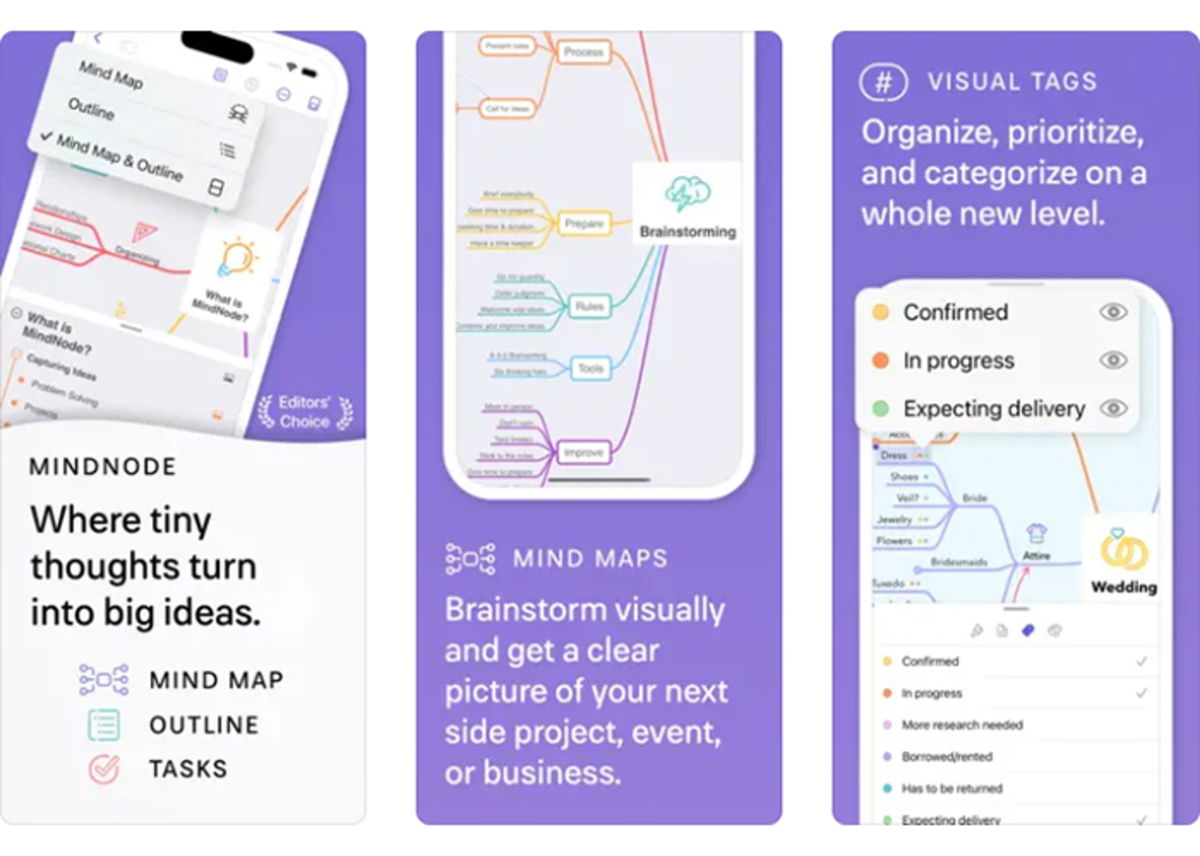
Create stunning mind maps in seconds with MindNode
MindNode is another good ability to create mind maps from your iPad. It incorporates features to capture your ideas in any form, either as words, images, links, tasks or notes.
Additionally, you can move, tag, connect and detach thoughts frequently and personalize your mind map with personalized themes and stickers. It’s perfect for getting your ideas out of your head and visually organizing them.
Miro: online whiteboard

Make your presentations more attractive with Miro, the online whiteboard
Miro it’s a digital whiteboard app for iOS which allows you organize online meetings and workshopsgenerating ideas on a digital canvas, take digital notesedit and annotate documents and PDFs, and gather resources in one place.
In addition, you will have the possibility of design work processesgive virtual lessons and generate idea boxes with motivating suggestions.
It is a valuable tool for students and professionals looking for an easier and more efficient way to collaborate and work as a team.
iThoughts – Mind Map
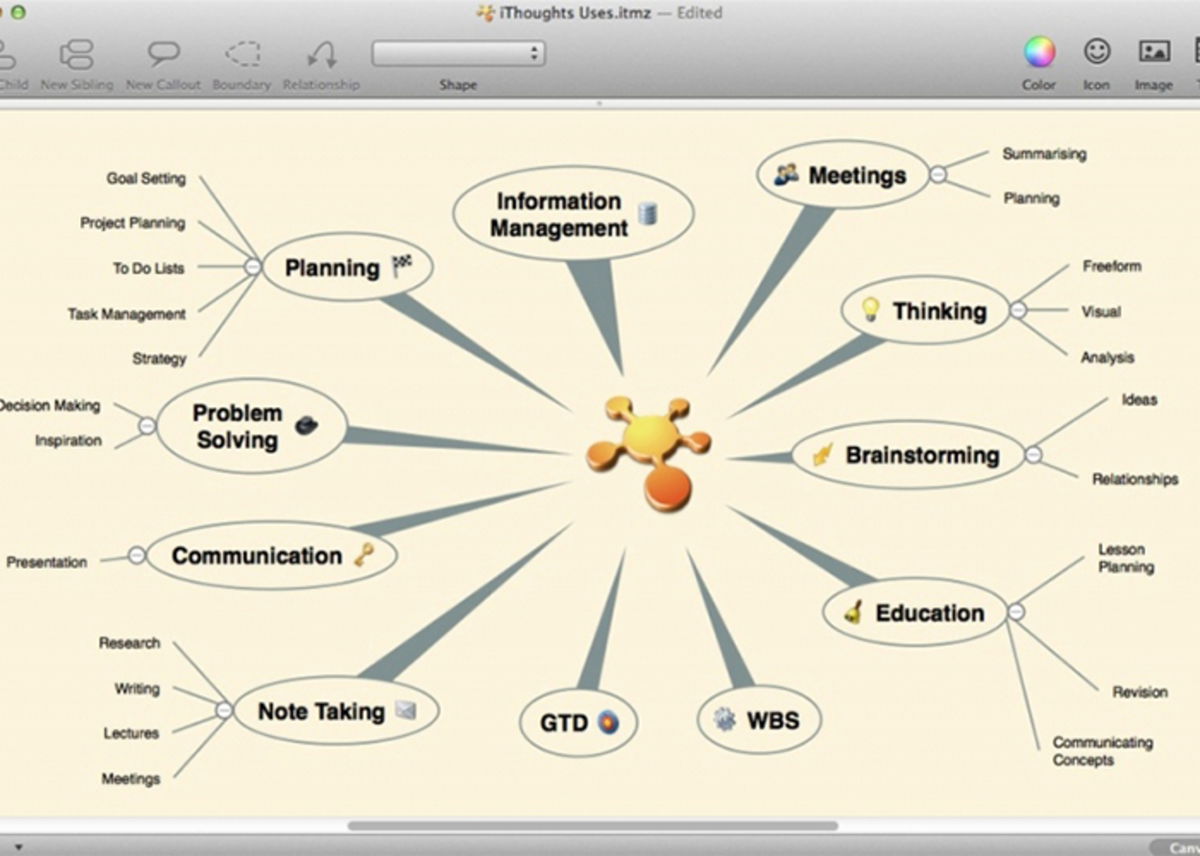
Learn to visualize your ideas with iThoughts – Mind Map
iThoughts is an alternative available in the Apple Store to create mind maps that helps you organize your ideas, tasks and projects.
The system has tools for project planning and the activity managementmaking it ideal for students and people looking for an effective organization app.
Better yet, you can export your creations in different formatsbe it Excel, PDF, PNG and others.
Ayoa’s Ultimate Mind Map

Improve your focus and productivity with Ayoa Ultimate Mind Mapping
Come on is an application to create and share mind maps, diagrams, to-do lists much more. Plus, it works to organize your ideas, projects, and tasks visually and collaboratively from the comfort of your iPad.
It has special features such as real-time synchronization, task remindersintegration with calendars and much more.
MindFlow – Structure Flowchart
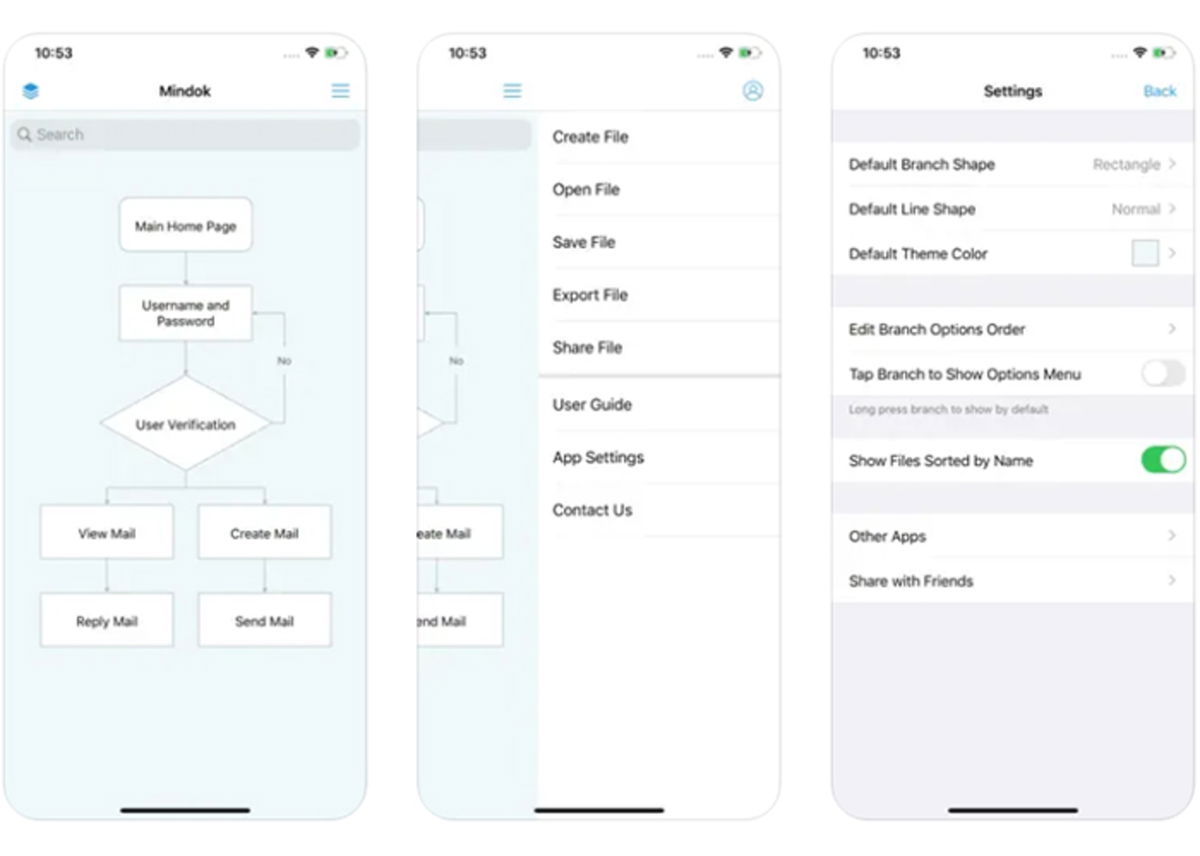
Optimize your projects with MindFlow – Struct Flow Diagram
flow of the mind it’s a diagramming and mind mapping app for iOS devices where you can visually and easily organize your ideas, connect concepts, and create workflows.
The app has tools to customize your diagram, add notes and export to other formats and more. It is perfect for simplifying the planning and study of complex projects.
Lucidspark

Collaborate more effectively with Lucidspark.
Lucidspark it’s a collaboration and brainstorming tool which allows you to work as a team in real time to create and organize your projects from iPad.
It includes functions such as virtual whiteboardssticky notes and drawing toolsyou will be able to visualize and develop your mental and concept maps more effectively.
Moreover, you will be able to integrate the application with other tools such as Google Drive or Dropbox for a smoother workflow.
Mural – Visual Collaboration

Collective creation: a mural that represents visual collaboration
Wall it’s a visual collaboration app for creating murals and maps, add notes, shapes, and text boxes under different formatting options. In short, you can draw, comment, export, invite collaborators and much more.
AT icon librarydigitization of physical notes, organization with executives and hybrid collaboration sessions. Ideal for teamwork and improving visual thinking.
Table of Contents


