
Last year Google’s Keep released an interesting function that we have available in this application in Europe to transmit images between different applications and thus allow better multitasking from a mobile device. Now Google is stepping up with Android 14 so you can drag and drop anything you want between different applications.
Nail Sadykov, editor of the Google News Telegram channeldiscovered in the latest Android 14 beta the possibility of selecting files, images or text, and thus dragging them to another application.
The big difference from Keep’s similar feature, according to Phandroid, is that you won’t need to have two apps split screen on Android anymore. That is, we simply select a text, do a long press and drag it to another app from the recent apps view.
It looks like Android 14 will finally allow you to use system navigation while you drag and drop items.
That is, you can take a photo or text from one app, open another app, and drop it there.
(Previously this was only possible in split-screen.)*Like on iOS* pic.twitter.com/bolwp3aE6E
—Nail Sadykov (@Nail_Sadykov) May 18, 2023
It is a widely used feature on desktop computers to save time and quickly transfer files between different programs. Just with the mouse pointer, you can drag the download link in Chrome to drop the file into any program.
We are facing a function that Apple has already introduced in iOS 16, so when Android 14 arrives we can use it to take multitasking to another level with a very simple gesture after “taking” the text, l image or document to another application.
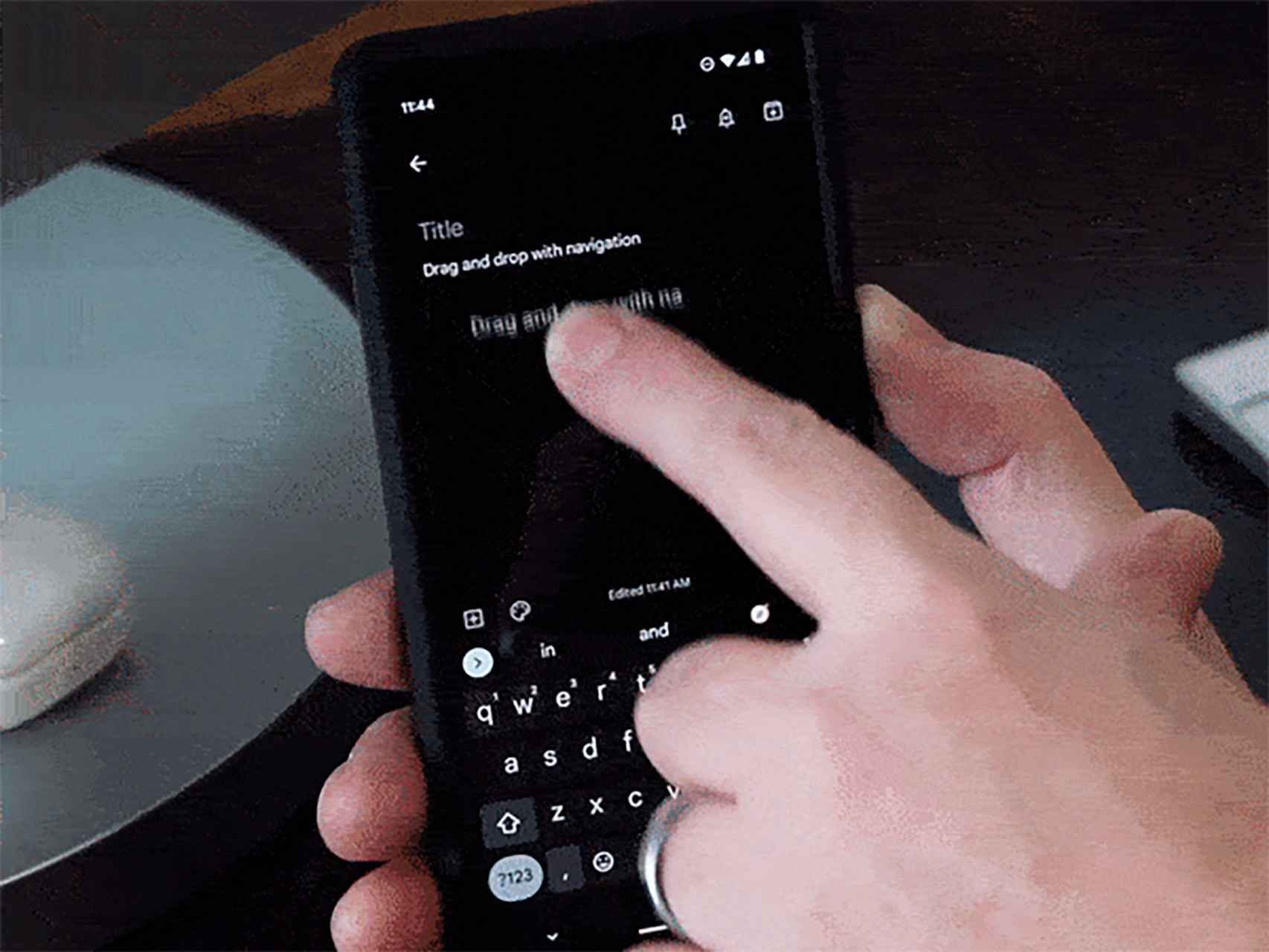
A dragged link to another application
android font
the free android
As you can see in the video shared by Sadykov, this feature works perfectly without any problem to pass what you want between two apps. Especially since you can have the applications in full screen.
Android 14 is slated for release in the fall of this year, presumably with the introduction of the Pixel 8 series and a surprise device from Google, like the Pixel Watch 2; although we hope that this time it can be purchased in Europe, since the first was left outside our borders.
You may be interested
Follow the topics that interest you


