
Related news
The screenshots are a very useful and widely used resource on Android, And if you have a Samsung mobile, you can take advantage of this format a bit thanks to a One UI configuration that allows you to automate some processes.
It is a feature with which you can save time and even space, as it includes the possibility of automatically delete screenshots if you share them, among others.
Configure your screenshots on Samsung
Screenshot on Samsung
Free Android
In the general settings of the mobile, you can find a section to change the behavior of the screenshots. To access it, you just need to do the following:
- Open Settings.
- Go to Advanced Features.
- Tap Screenshot & Recording.
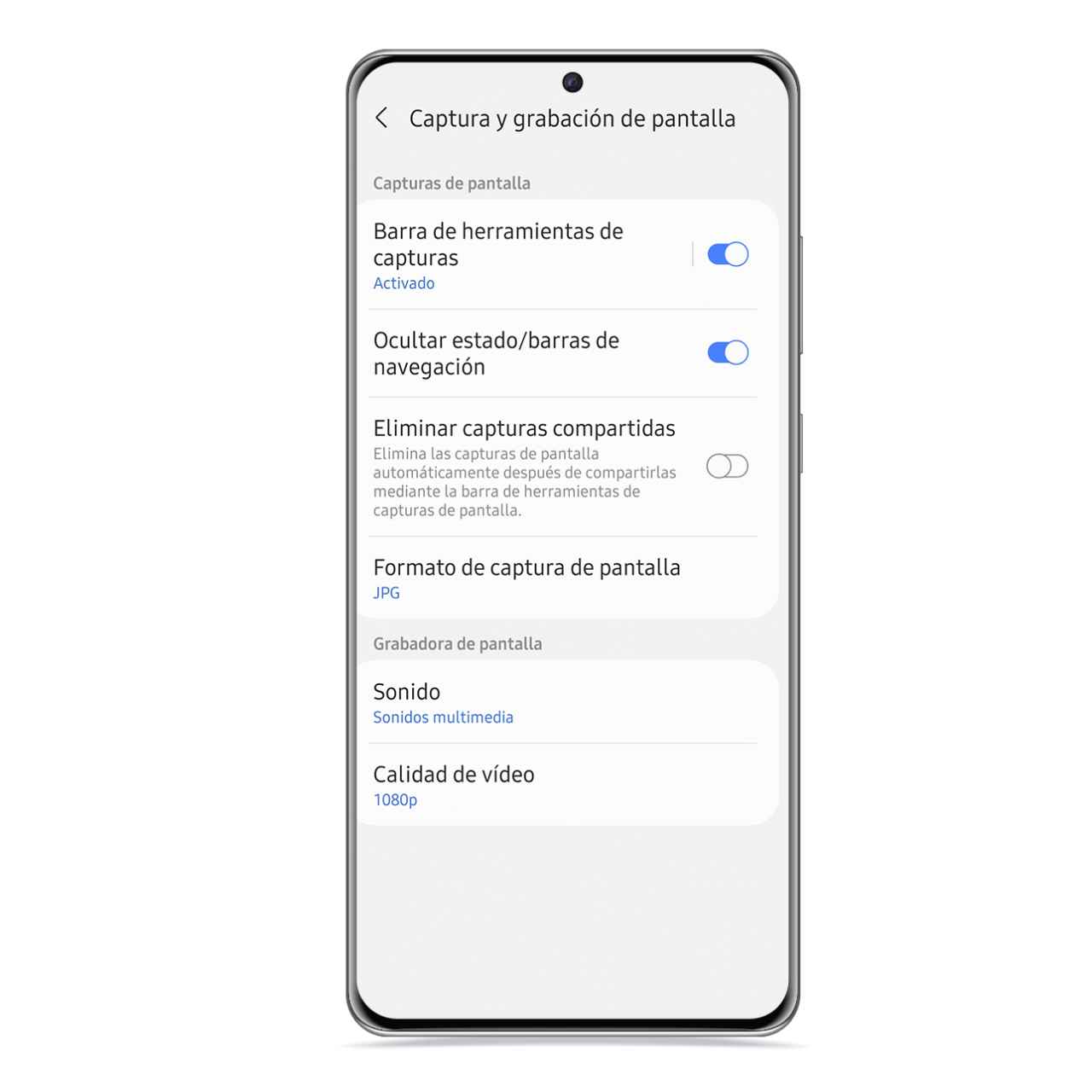
Here you will have access to various options which can make the screenshot process more comfortable for you. First of all, you can decide if you want that when you make one, the toolbar appears with the crop or share buttons.
On the other hand, there is the possibility of doing it hide automatically the status bar and the navigation bar, if you have it enabled. That way, you’ll be able to send or save screenshots without showing the time indicator or onscreen buttons, which after all is information that doesn’t have to appear.
Screenshots will no longer be a hindrance
Another of the settings allows you to automate the removal of the screenshot once you share it, so that after you send it, is deleted so that it does not stay in your gallery as residual file. This way, you won’t have a gallery full of captures that you may have sent but that are not relevant to keep them on your mobile.
On the other hand, you can choose the format of the resulting image, which can be JPG or PNG, whichever you prefer. In this section you can also configure the format of the screen recordings, with the option to choose their resolution or sound source.
it may interest you
Follow the topics that interest you
.
Table of Contents


