
There are a few exceptions, but in general the world of mobile games continues to be one of the casual and straightforward games in games that focus on filling our downtime on the subway. Few of the games that have passed home consoles and PCs are reaching Apple’s mobile devices, but these days, that’s exactly what has happened with “Alien: isolation”. The game is available for pre-order on the App Store and will officially launch tomorrow.
The great gaming experience is obtained, but on large screen terminals
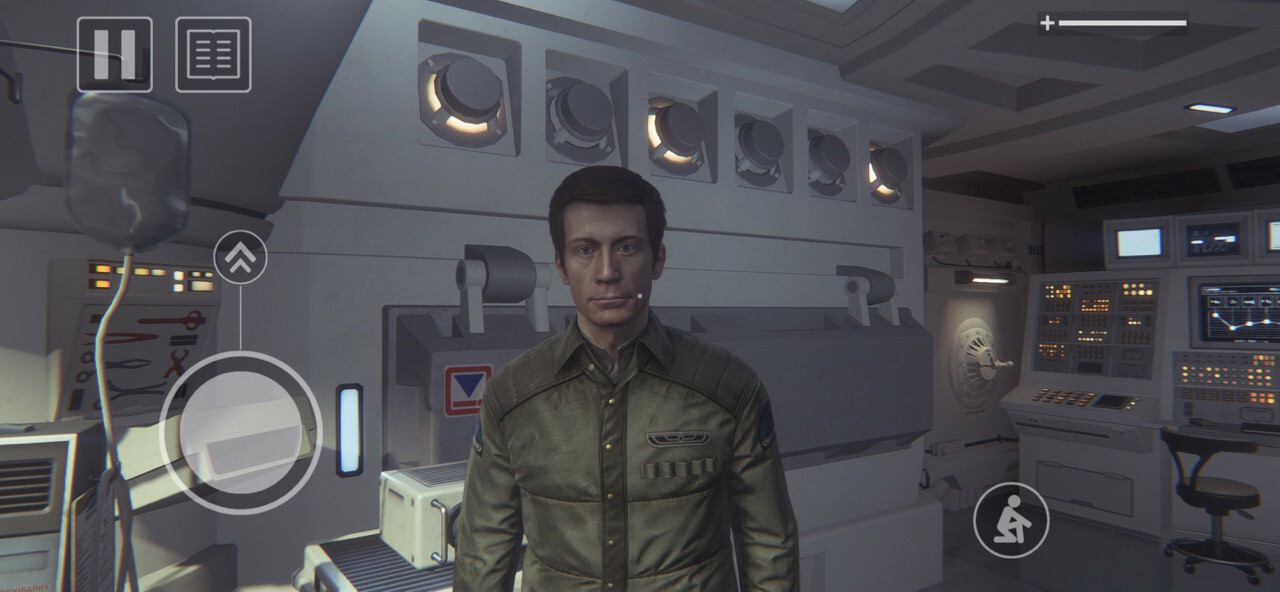

Yes, the ‘Alien: Isolation’ graphics on the iPhone are up to par.
It must be said: we are talking about a game from 2014. Qualifiable as triple-A, yes, but with more than seven years. Either way, we’re talking about a relatively modern game that was originally intended to run on consoles and computers that now happens to be playable on iPhone. A sign that, little by little, companies realizing the graphic potential of Apple phones. Even if it is to find new sources of income thanks to their games after having rushed into consoles.
I’ve been playing “Alien: Isolation” for quite some time on my iPhone 13 Pro Max, which at the time of this writing is literally the best iPhone you can have for gaming. Does the game get its suspenseful atmosphere which has led to several streamers broadcast their matches with the fear included? The answer is yes, although with some clarification.
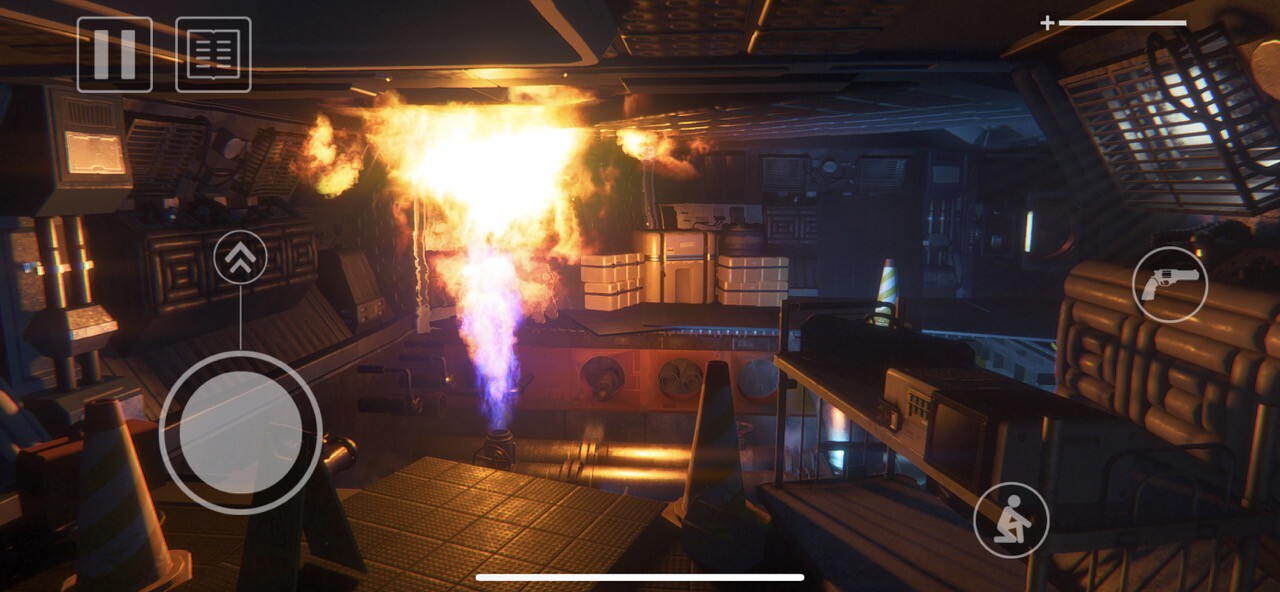
The first thing is that the graphics, at least in the case of the iPhone 13 Pro Max, They are of very good quality. Performance too, with very reasonable load times; and relatively comfortable to use and easy to understand touch controls, aided by vibrations from the device itself.
The sound is also achieved (special mention to the original voices of the protagonist), but this is where it is necessary to start clarifying. If you want the vibe that the game offers, it is better to use headphones. The iPhone speakers don’t sound bad, but they do interfere with the experience of a game like “Alien: Isolation”.

Map details look good even though they are intended for TVs or PC monitors.
The combination of all of these factors and the in-game cutscenes make it worthy of being on an iPhone. And this is not a casual five minute subway game: ‘Alien: Isolation’ is the perfect game if you need it. something that consumes your time on long journeys or quiet times while you visit the family this Christmas.
Of course: I don’t think you will get the same experience I had if your iPhone is a mini model or an iPhone SE. Large screens are becoming almost indispensable here, both to appreciate the quality of the game and to make touch controls comfortable. Therefore, I would recommend using 6.1in and above terminals instead if you want that optimal experience I’m talking about.
Forget about playing ‘Alien: Isolation’ on devices with 32 GB of storage

You had better have some storage space on your iPhone if you want to play “Alien: Isolation”.
Playing something like ‘Alien: Isolation’ on an iPhone or iPad has costs beyond the economical (its price is 14.99 dollars). The game occupies a minimum of 11 GB (And you need 22 GB of free space when installing!), And you are already making it clear from the start that it is best to download all this data before launching the first game for the best experience. Depending on your Wi-Fi speed, that could mean an entire afternoon of downloading, but in high-performance networks, we can get it done in minutes. Half an hour in my personal experience.
The complexity and demands of the game are also noticeable in the drums: About 40 minutes of gaming reduced my iPhone 13 Pro Max’s battery by 7%, in addition to heating it up a bit. And if that happens to the iPhone battery champion, I don’t even want to think about what should be happening in the iPhone mini.
A final cost is that of compatibility. You need to have a fairly modern iOS device to be able to install Alíen: Isolation and depending on what you have, quality and performance may vary. Here is the list of compatible terminals:
- iPhone SE (2020 model)
- IPhone 7 Plus and 8 Plus
- iPhone X, XR, XS and XS Max
- The entire iPhone 11, 12 and 13 range
- iPad mini 5 and 6
- iPad Pro (models from 2015)
- iPad Air (from 2019)
- iPad (models from 2019)
As I commented on previously, the experience of ‘Alien: Isolation’ can be further enhanced if we use an iPad and its big screen to play it. The new iPad mini can be perfect thanks to its size and lightness, for example.
But ultimately, and thanks to the bigger iPhones and headphones, Triple-A gaming experience (even from 2014) can be transferred to Apple handhelds without too many differences. Also: if you like the cinematic saga, ‘Alien: Isolation’ is a must.


