
Related News
Realme mobiles have one of the most customizable layers that exist in Android, realme UI, thanks to which you can change many aspects of the interface. And, if you want to give your device a nice facelift, there’s a settings section where you can change the look of things like icons or the notification bar.
Completely change the look of your mobile domain
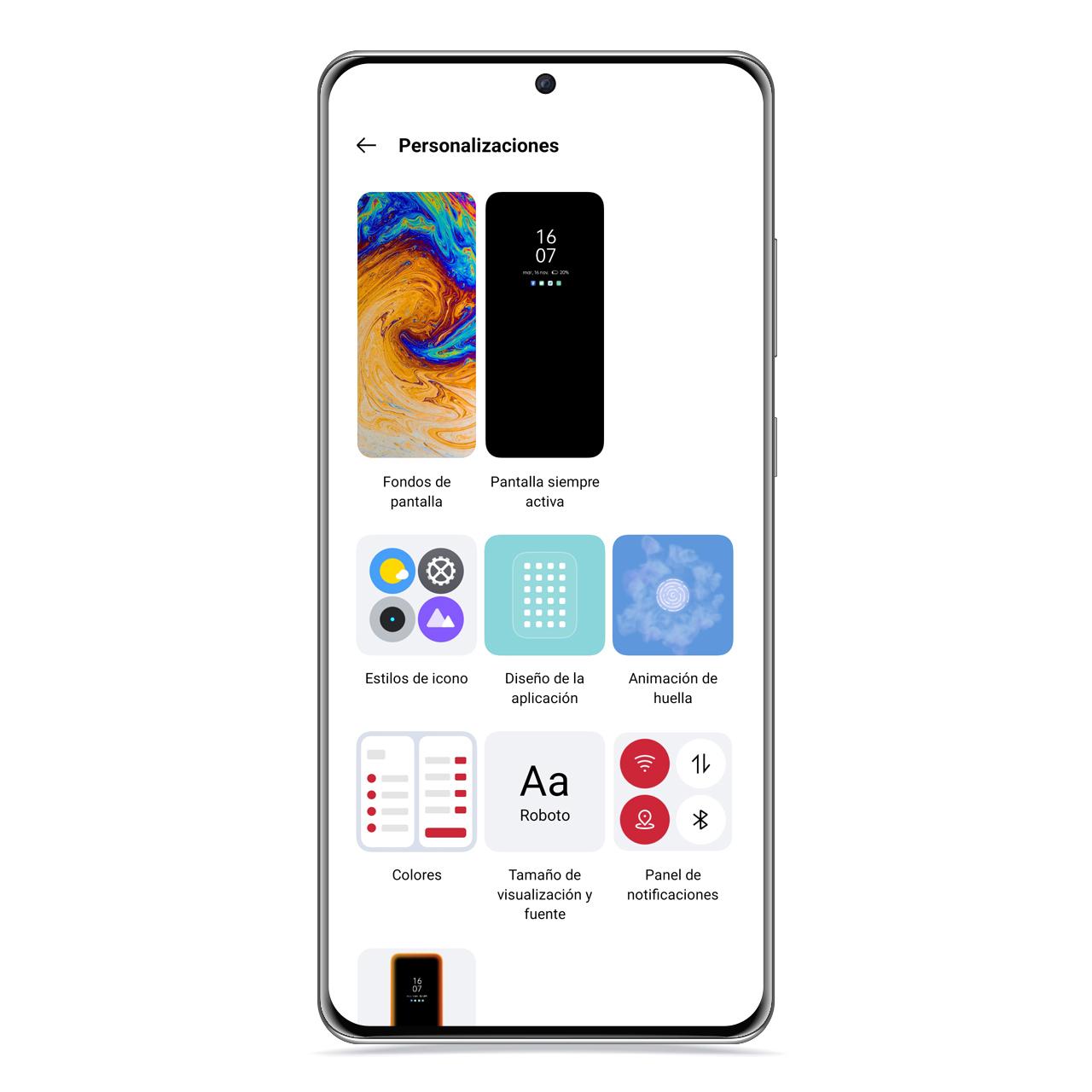
Customizations
The free Android
Realme UI is a layer that offers a large number of possibilities and one of the functions that you can find in its configuration is to fully customize the interface of the device. From the notification bar to the launcher grid to the accent color of many mobile elements. To access this section of the settings, you just have to do the following:
- Open Settings.
- Click on “Customizations”.
When you access this section, you will see that it is structured into different categories depending on what you want to customize.
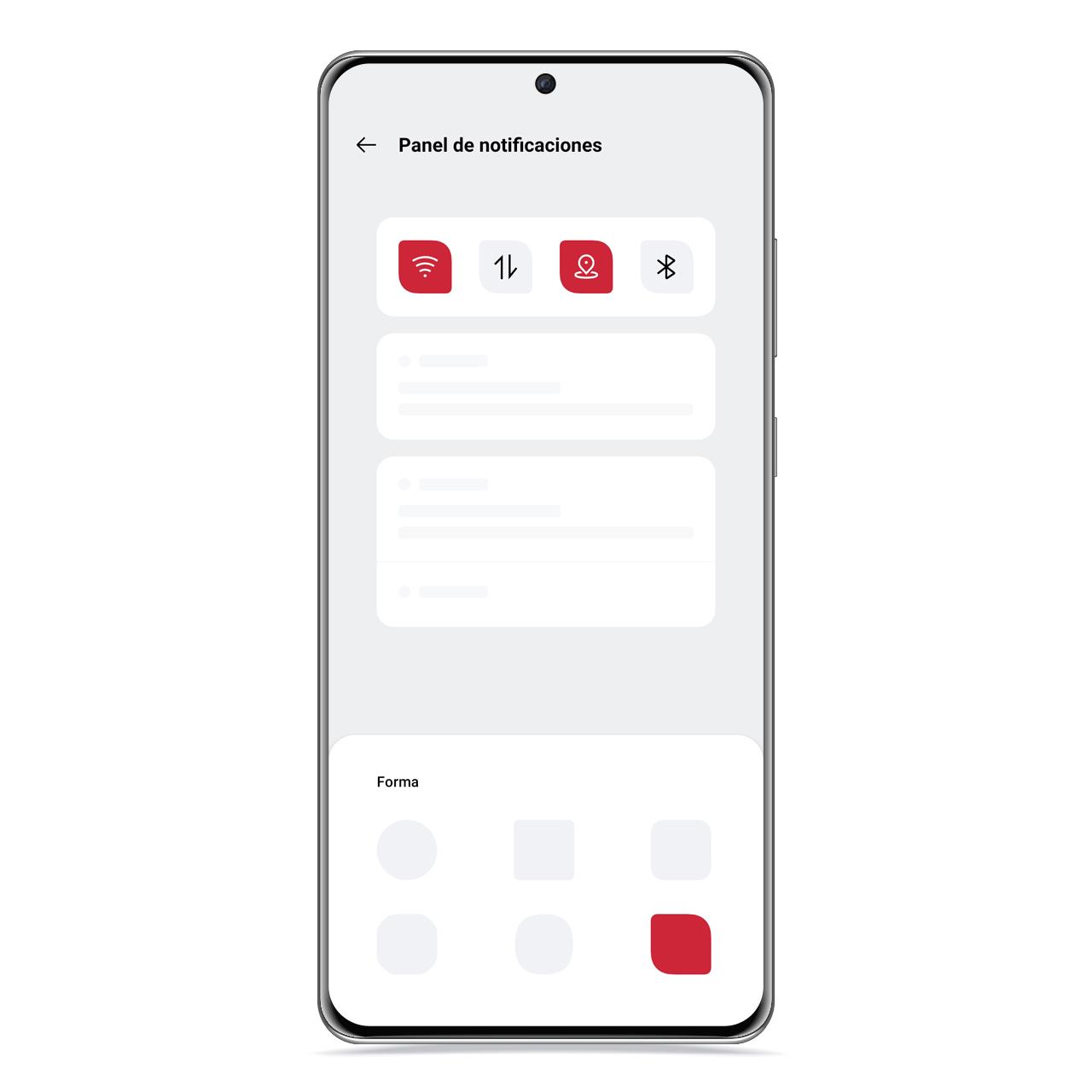
notification panel in realme
The free Android
On the one hand, you have the option of changing the wallpaper, choosing between static or dynamic default backgrounds, as well as enabling the always-on screen which will show the time and notifications when your screen is off. The latter is only available for devices with an AMOLED display.
On the other hand, you can also change the accent color of the interface, which is essentially what gives color to shortcut icons, scrollbars, and action buttons in the system interface. You can choose a color or a color pattern.
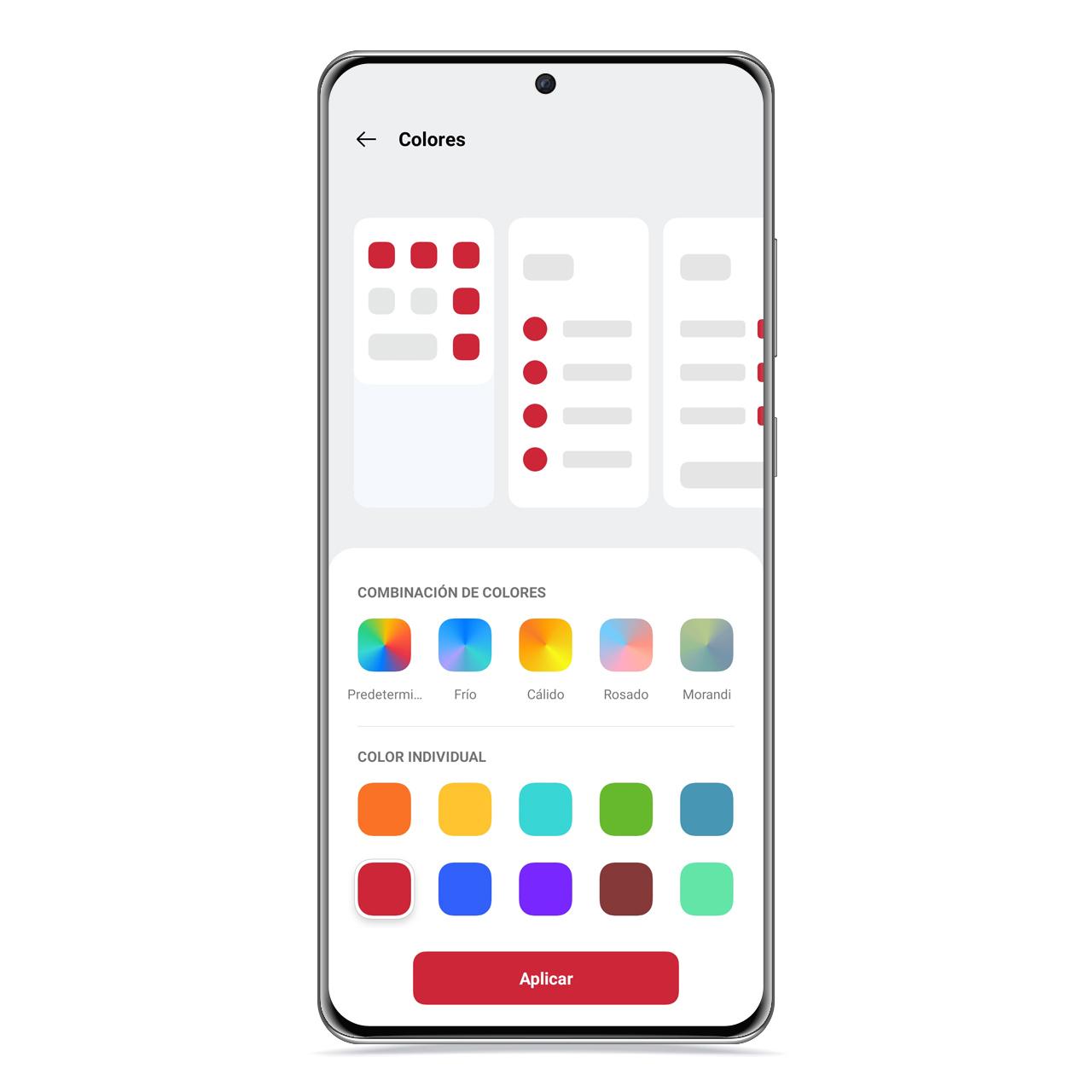
Colors in realme UI
The free Android
The possibility of change the shape and content of launcher icons, and you can even apply a custom icon pack by downloading it from Google Play.
You also have the option of setting a lighting on the edges of the screen like a notification LED, which lights up with the pattern you choose whenever you receive a new message or notification.
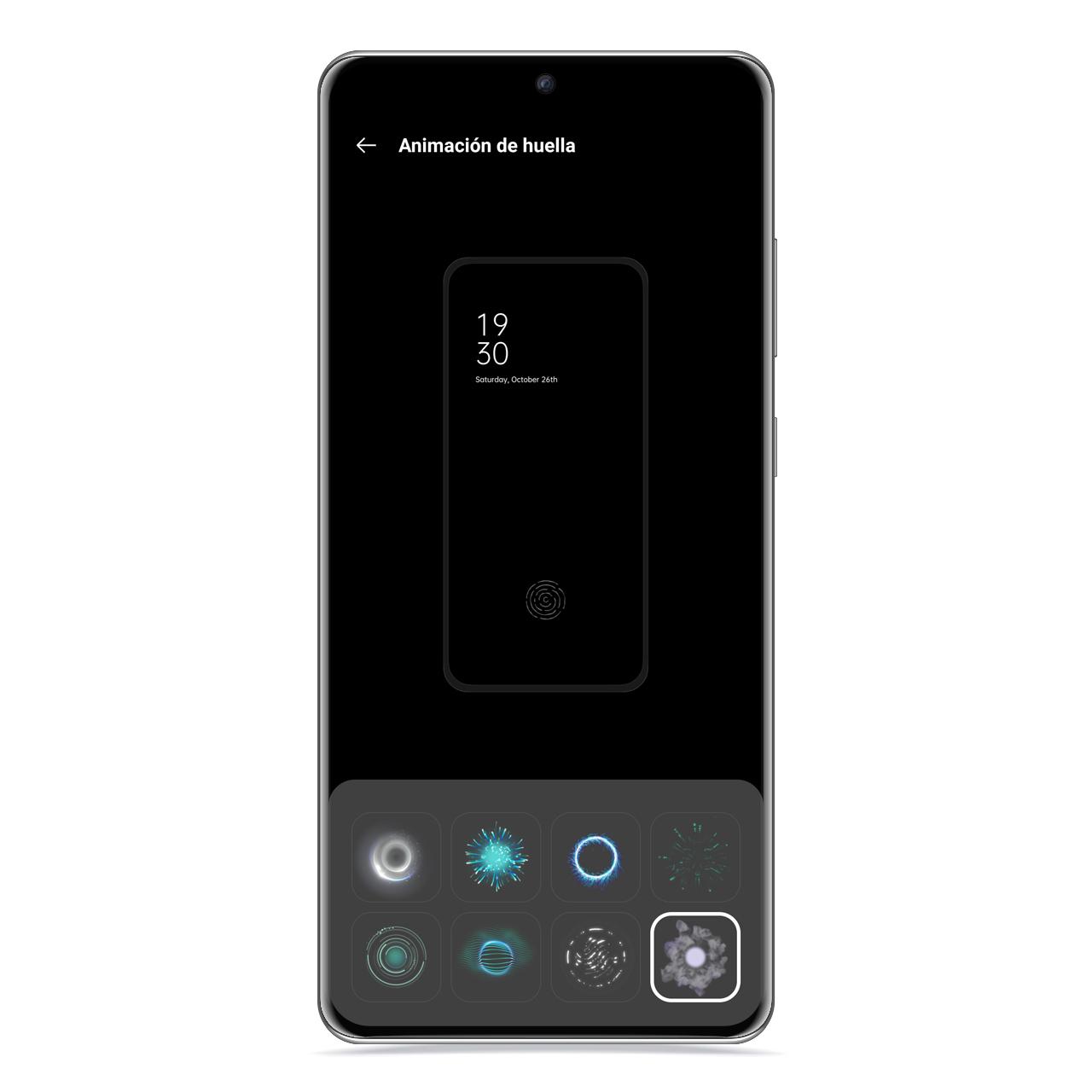
footprint animation
The free Android
If your mobile has a fingerprint reader under the screen, you can also choose from a few animations in the fingerprint reader that will appear when you unlock the mobile using this method.
You may be interested
Follow the topics that interest you
Table of Contents


