
Google Maps and Waze are two of the best map apps for finding directions and locations anywhere, but they also have the ability to find the cheapest gas stations nearby.
[6 aplicaciones gratuitas para buscar la gasolinera más barata desde tu móvil]
Thanks to these two applications you will be able to find out about where are the cheapest petrol stationsnear you or elsewhere, something that, little by little, can mean big savings.
Also, the prices are updated, so you don’t have to go to the gas station in person to check the price it has every day.
Find the cheapest gas station in Waze
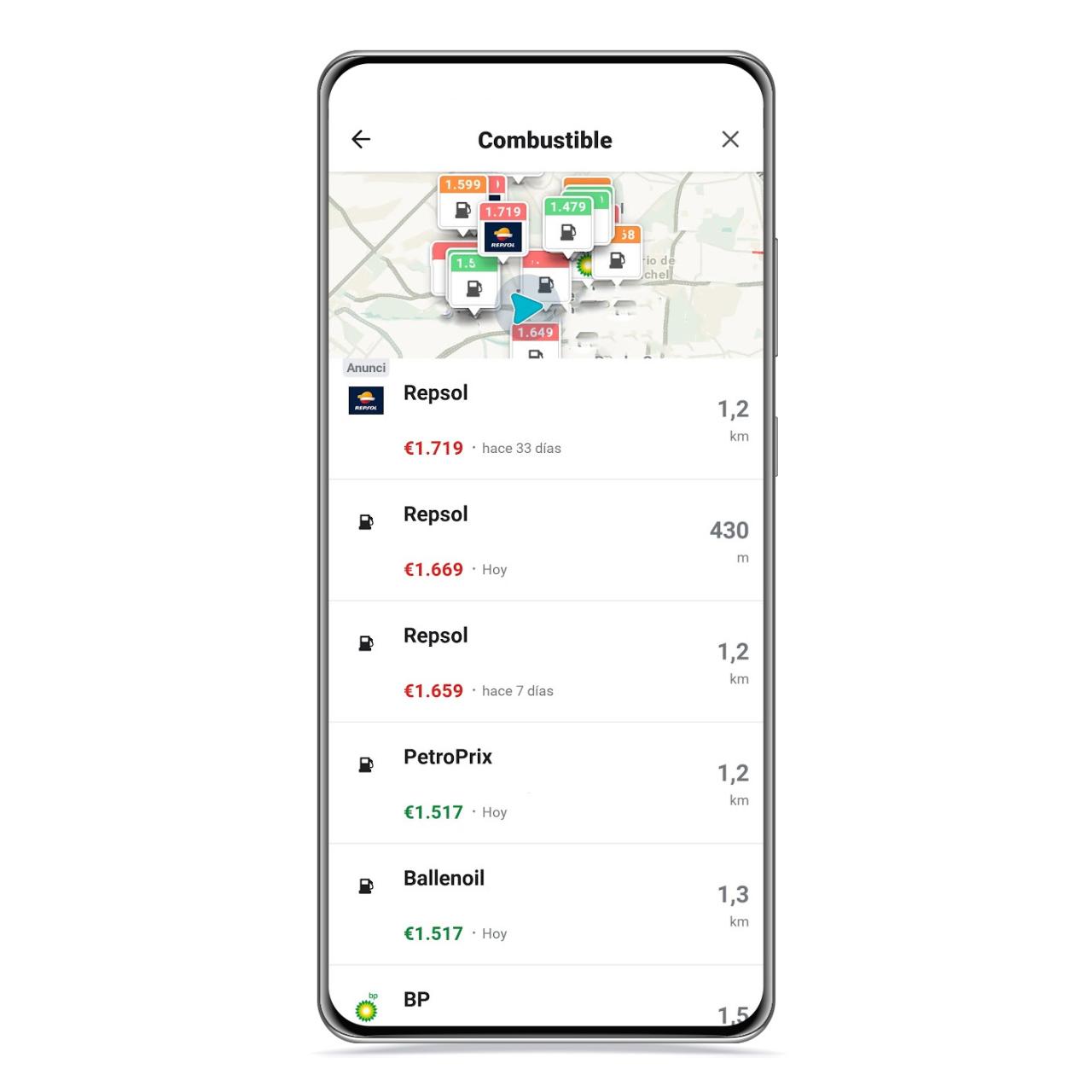
Gas stations in Waze
The free Android
Waze has the ability to list nearby gas stations by price, in addition to ranking them so you know which is cheaper and which is more expensive and so you make a decision. You just have to follow these steps:
- Open Waze.
- Click the My Waze button in the bottom bar.
- Put Gas Stations in the search bar.
After that, gas stations will be displayed on the map with a color depending on the price: green for the cheapest, yellow for the middle price and red for the most expensive.

Map of gas stations near Waze
The free Android
One of the limitations of Waze in this sense is that it will only show you gas stations that have near your current position, you will therefore not be able to search for service stations at your place of work if you are not there, for example.
At the bottom you can access a list in which the gas stations are classified by price, also indicating the color code that we have already talked about, the distance and the street where they are.
Find the cheapest gas station on Google Maps

Google Maps, which is the most complete map application for Android, also includes the possibility of show you the nearest gas stations including their prices, something that will come in handy so you don’t have to go see it in person. Follow these steps:
- Open Google Maps.
- Go to the area you want to search.
- Write Service station in the search engine.
In the case of the Google platform, you can check the prices of any gas station, even if you are not nearby, and to do this you only have to put yourself on the map in the area in which you want to search .
In this case you will not find a ranking by price, but you will see them one by one both on the map and in the lower list that will be displayed with all gas stations.
You can click on the top button called Open Now to see which gas stations you can access at that specific time, an ideal filter if you’re looking for a gas station at night.
You may be interested
Follow the topics that interest you


