
Related news
Instagram is one of the most popular social networks in Europe, which millions of Android users open daily. It is common that when using the social network you will open a link from it, such as a link in the bio of a profile on the social network, which will take you to a website or store. .
Surely sometimes you opened one of these links from Instagram, but you can’t remember which website or store you opened. Fortunately, the social network keeps a history with all the links you have opened from it, so that you can easily locate it.
Access the links you have opened from Instagram
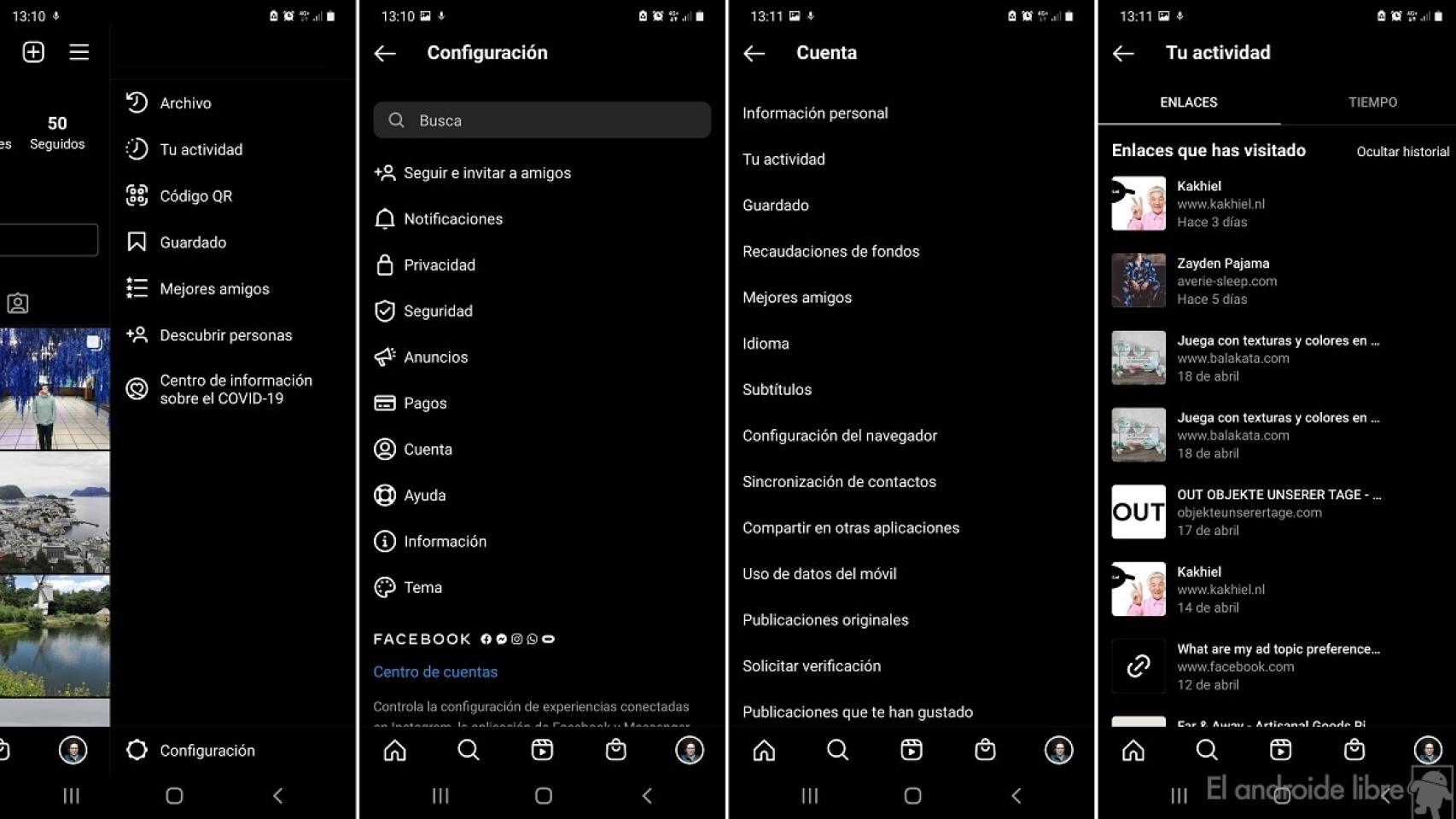
Instagram link history
Open a link from Instagram On Android, this is common, because we usually visit the pages of stores or brands on the social network and click on the products that we like, for example. There might be a link we want to find, but we can’t remember the name of the website or brand in question. Fortunately, we can easily find it by following these steps:
- Open Instagram on your Android phone.
- Tap your profile picture at the bottom right of the screen.
- Click on the three horizontal bands at the top right.
- Go to Settings.
- Go to the Account section.
- Enter your activity.
- Go to the Links tab.
- Find the desired link.
The social network has recorded all these links that we have opened. The links in this list are displayed in chronological order, from most recent to oldest. To find that specific link we are looking for, just scroll down that list and click on it to open it.
All the links you open from Instagram on your Android phone they will be recorded in this story. Thus, you can always find them in a simple way in case there is one that you wish to be able to open again, you just have to follow the steps above and thus have access to it.
.


