
Xiaomi, POCO and Redmi mobiles and tablets have, thanks to MIUI, a function to take screenshots different from usualin which you keep only what interests you in the image.
How to make your Xiaomi turn on when a notification arrives
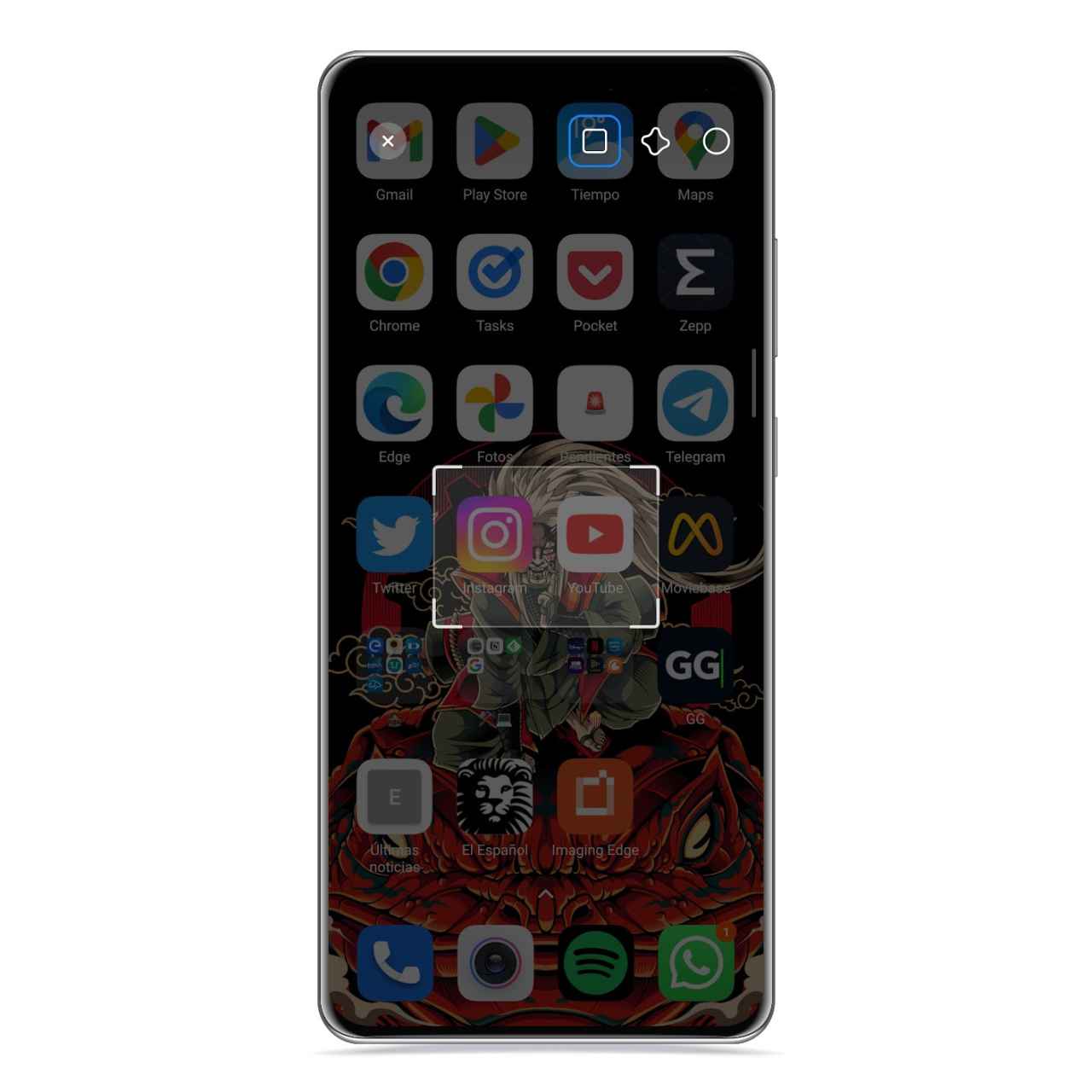
It’s about the calls partial screenshots, with which you have the option of selecting a single area of the screen, which can be in different ways, to take the screenshot.
In this way, you won’t have to edit it before sharing it, and you will also know at a glance why you made the capture.
Take a partial screenshot on your Xiaomi
Special screenshot on Xiaomi
The free Android
Thanks to this Xiaomi option, you will be able to capture only part of the screeninstead of taking a full screenshot and then editing it in the gallery. To activate this function you just have to follow these steps:
- Open Settings.
- Click Additional Settings.
- Tap Gesture shortcuts.
- Tap Partial screenshot.
And it is that, there are times, even if you want to take a screenshot, you do not need to show everything that is seen on your screen at that moment, but simply a fragment of this funny picture or whatever you saw is enough.

Partial screenshot
The free Android
Now all you have to do is put three fingers on the screen, but instead of dragging them like you want to take a classic screenshot, you just have to hold them down.
Then the editor will open from where you can choose the shape and select the area where you are taking the screenshot. This lets you select a rectangular area, freeform, or circle. When you have made the selection, you can switch between the different forms available to see what it would look like if you had chosen a different one.


