
Apple Intelligence has integrated the chatbot chatbot into Siri
Apple finally launched the official version of iOS 18.4 with large new features for all compatible iPhone models. This new version of the iPhone operating system incorporates Apple Intelligence with Spanish support, it is therefore an extremely important software update. He comes with Genmoji, graphic luggage, notification summaries and even Integration of Siri with Chatgpt.
With the rise of artificial intelligence lately, Chatgpt's popularity has passed through the clouds. We recently shared an interesting tutorial to modify photographs with Chatgpt-4o in the Disney Pixar style, Ghibli or Simpsons studio and this time we will explain you How chatgpt works in Apple Intelligence With all the detail.
But before you start, it is imperative that if you want to use Chatgpt on the iPhone, you can also download its official application in the App Store. It is ideal to find quick information, modify texts or generate images with AI. In fact, there is also a way to use chatgpt as a Safari default search engine.
Chatgpt is integrated into Siri with iOS 18.4
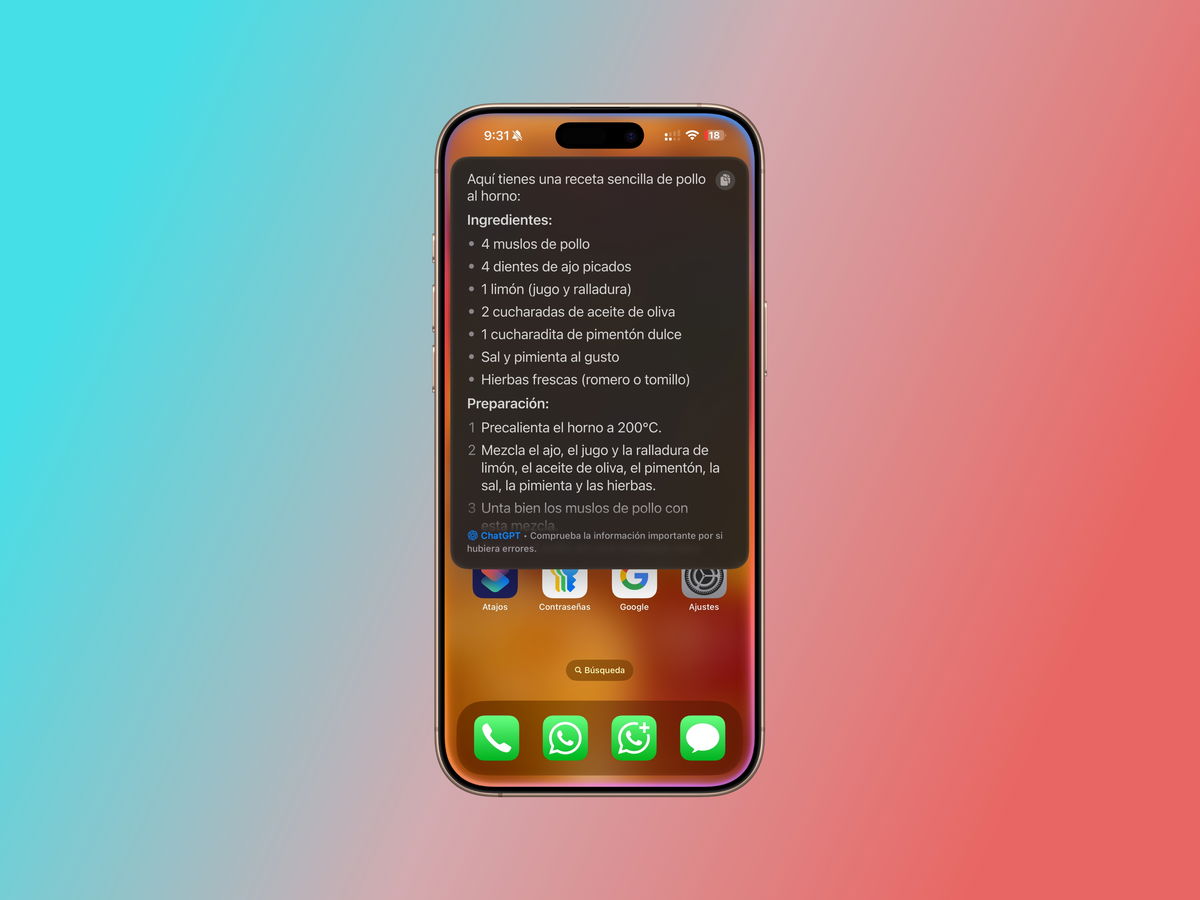
Chatgpt interface in the SIRI system
With the implementation of chatgpt in the virtual assistant of iOS 18.4, you will have at your disposal three different ways of accessing the openai chatbot: Via Safari, from the application or directly with Siri.
The use of chatgpt in Siri is very useful and effective. Although it is important to note that the process is a little slower than with the Apple virtual assistant. If you are looking for information with Siri, loading times are much lower than if you do it via Chatgpt.
Now its operation is a delight and the results are more than satisfactory.
How to activate the Chatppt in Siri in iOS 18.4
The first thing you need to know after Apple Intelligence's activation in iOS 18.4 is that you will have to wait a few minutes until the entire content of Apple's artificial intelligence platform is downloaded. In other words, and this also includes Chatgpt download in Siri.
To start downloading chatgpt and integrate your services into the Siri assistant, you must follow the following steps:
- Open Parameters In iOS 18.4.
- Enter Apple Intelligence Y Siri.
- Access the section Cat In extensions.
- Activate the option Usar Chatgpt.
From there, you can also connect with your OpenAi account, something very useful if you have a payment subscription to the service. We also recommend marking the box “Confirm Petitions to Chatgpt”. With this activated option, Siri will ask you if you want to use Chatgpt when the Virtual IOS 18.4 assistant is unable to answer a question or detect that the results will be more precise with Chatgpt.

Generate images with chatgpt
The functioning of chatgpt in Siri is more than fantastic. It can be automatically activated when requesting a certain type of information such as “how many champions Real Madrid A”, but you can also ask Siri that you need to use Chatgpt to access their services.

And what can you do with Chatgpt in iOS 18.4? Of everything. From the search for a recipe on the internet to the generation of images with artificial intelligence. The sky is the limit! And if what you want is to explore the territories of artificial intelligence, you just have to write a letter in the Chatgpt text field in Siri and some suggestions of the guest What can you send.
You can follow Ipadi On Facebook, Whatsapp, Twitter (x) Or consult our Telegram channel to be up to date with the latest technological news.


