
Related News
Currently, there are a large number of streaming services that can offer you hours and hours of entertainment at a very competitive price, which has caused its growing popularity. There are times when it’s not complicated lose account of the services to which you have subscribed, since some can be for music, others for movie content and even video game streaming like GeForce NOW or Google Stadia, and thanks to SubX you will be able to control all these subscriptions and what you pay for them each month.
Record your subscriptions and expenses
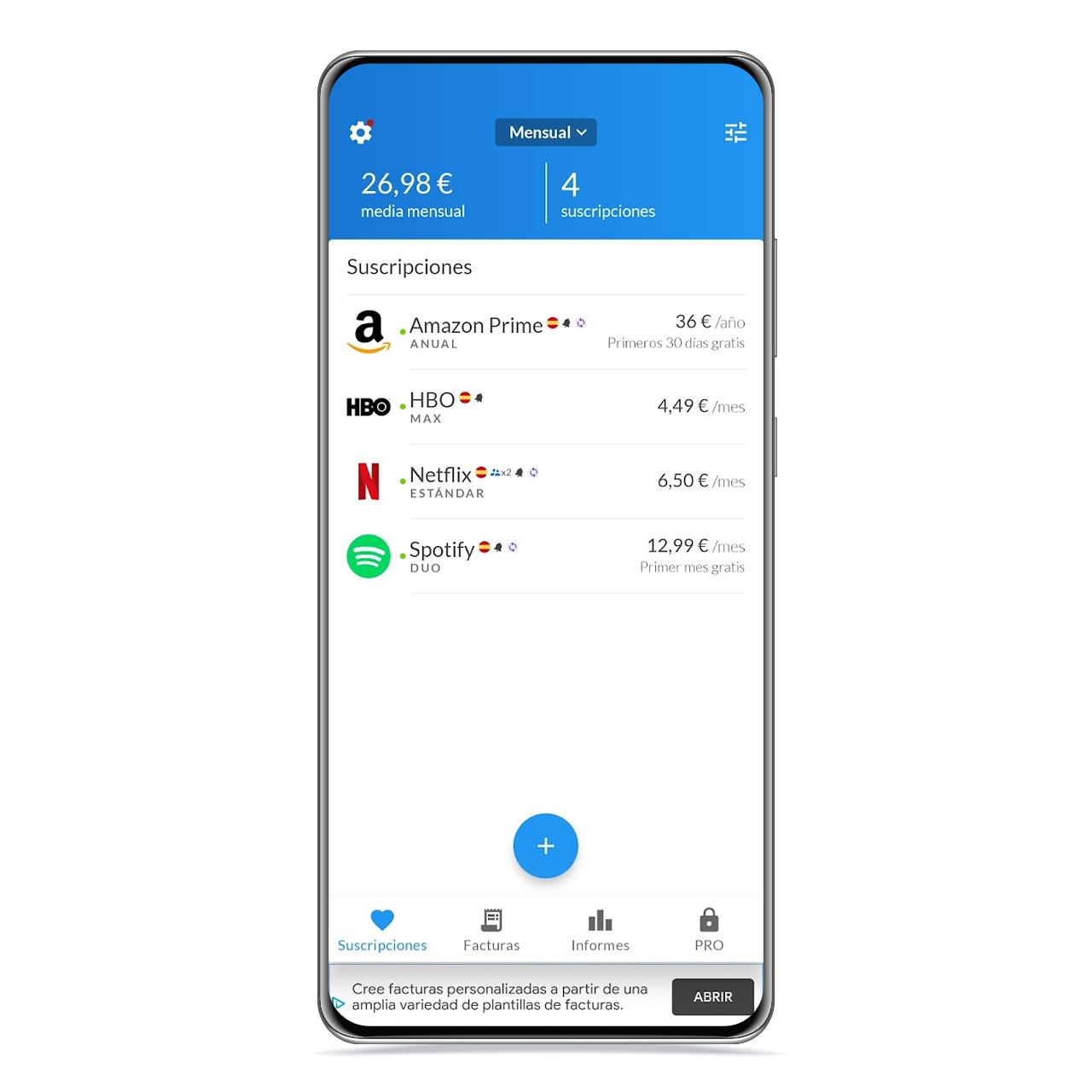
list of sub-X
The free Android
When you open this application, you will see a completely empty panel where you can save the different monthly subscriptions you have. So you can see a summary of all and your monthly expenses, in addition to a count of them.
When it comes to writing your subscriptions, you can do it in great detail. When registering, you must choose it from the application database, where your monthly price is also stored.

SubX graphics
The free Android
You can choose the type of subscription you have, as well as indicate that you share this subscription with someone to make the listed price cheaper. You can also note the registration date and payment method you use in said subscription.
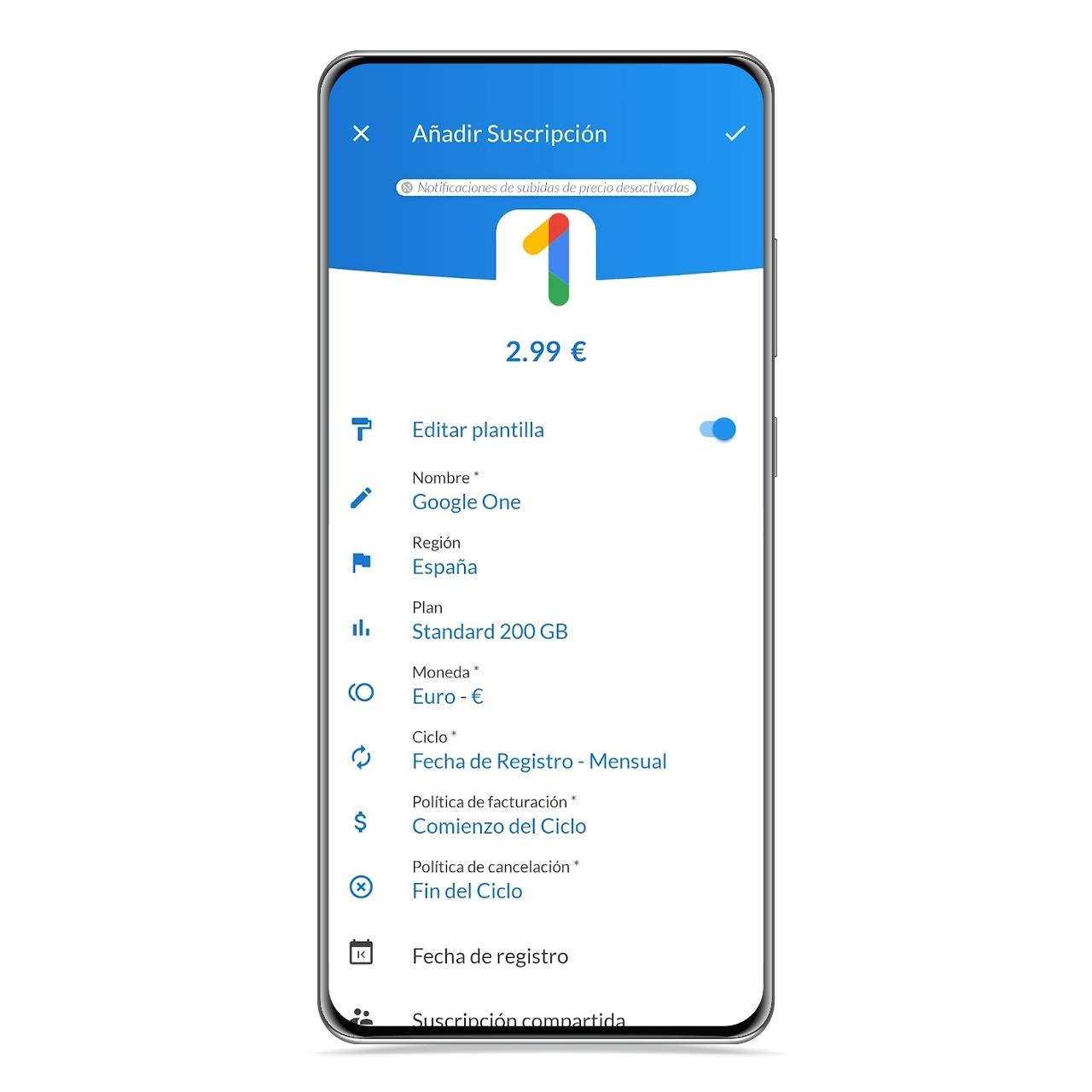
SubX modification model
The free Android
On the other hand, you can create a custom subscription, which can be very useful if you want register a service that is not included in the SubX database.
From invoice part You have access to a chronology in the form of a diary which will indicate the date on which the costs relating to the subscriptions that you have noted will be made, although for this it is essential that you fill in the registration date on the tabs.

SubX invoice
The free Android
In its reports section, you have access to several graphs that show you figures about your monthly expenses, that you can filter by subscriptions, payment methods, labels, regions in which you contracted it or even according to the currency with which you pay.
How to download from Google Play
You can download SubX from Google Play completely free, but keep in mind that there is a paid feature that unlocks more features like discount notifications or region-based scores.
You may be interested
Follow the topics that interest you
Table of Contents


