
One of Sections where Google is concentrating the most effort With each new generation of the Pixel, it is the photographic. With the new Pixel 6 and Pixel 6 Pro, we have seen, once again, the arrival of advanced cameras with larger sensors, brighter optics and new computer photography algorithms.
And it is precisely in the new software that we find the magic eraser (Magic Eraser), a function that allows remove unwanted elements from images. In principle, it is exclusive to the Pixel 6, but we can have it in other Pixels by installing the corresponding APK. What about other Android phones? Some brands such as Samsung or Xiaomi include a similar function in their gallery apps and on Google Play there are many apps for this purpose. Some like ‘Touch Retouch’ are chargeable, but below we collect several free alternatives.
Snapseed

Among its 29 tools and filters, it includes corrector” with operation very similar to the Photoshop cloning plug-in. You just have to slide your finger on the object you want to remove from the scene and you will see that it is marked in red. Instantly he will be gone. “Snapseed” is a free Google app with no purchases or ads.

Snapseed
- Developer: Google LLC
- Download it on: google play
- Price: Free
- Category: Photography
Remove unwanted object

With this application, the method to easily erase a person or object from a photo is practically the same as in the previous one: select what you want to remove with loop or brush, it will be marked in red and will disappear in a few seconds as soon as you press “Process”. “Remove unwanted objects” is also free, but includes advertisements.
Remove unwanted object
- Developer: BG.Studio
- Download it on: google play
- Price: Free
- Category: Photography
Photo Editing – AI Remove Objects from Photos

Besides removing watermarks from images or cleaning up imperfections, this app allows you to mark any unwanted object with your finger to remove it with a simple tap (here it is marked in yellow). Also includes an eraser for restore what you just deleted or cloned, just in case you don’t like the result. Like the rest, ‘Photo Retouch’ is free, but it’s in English and includes ads and in-app purchases.

Photo Editing – AI Remove Objects from Photos
- Developer: changpeng
- Download it on: google play
- Price: Free
- Category: Entertainment
Retouch – Delete objects
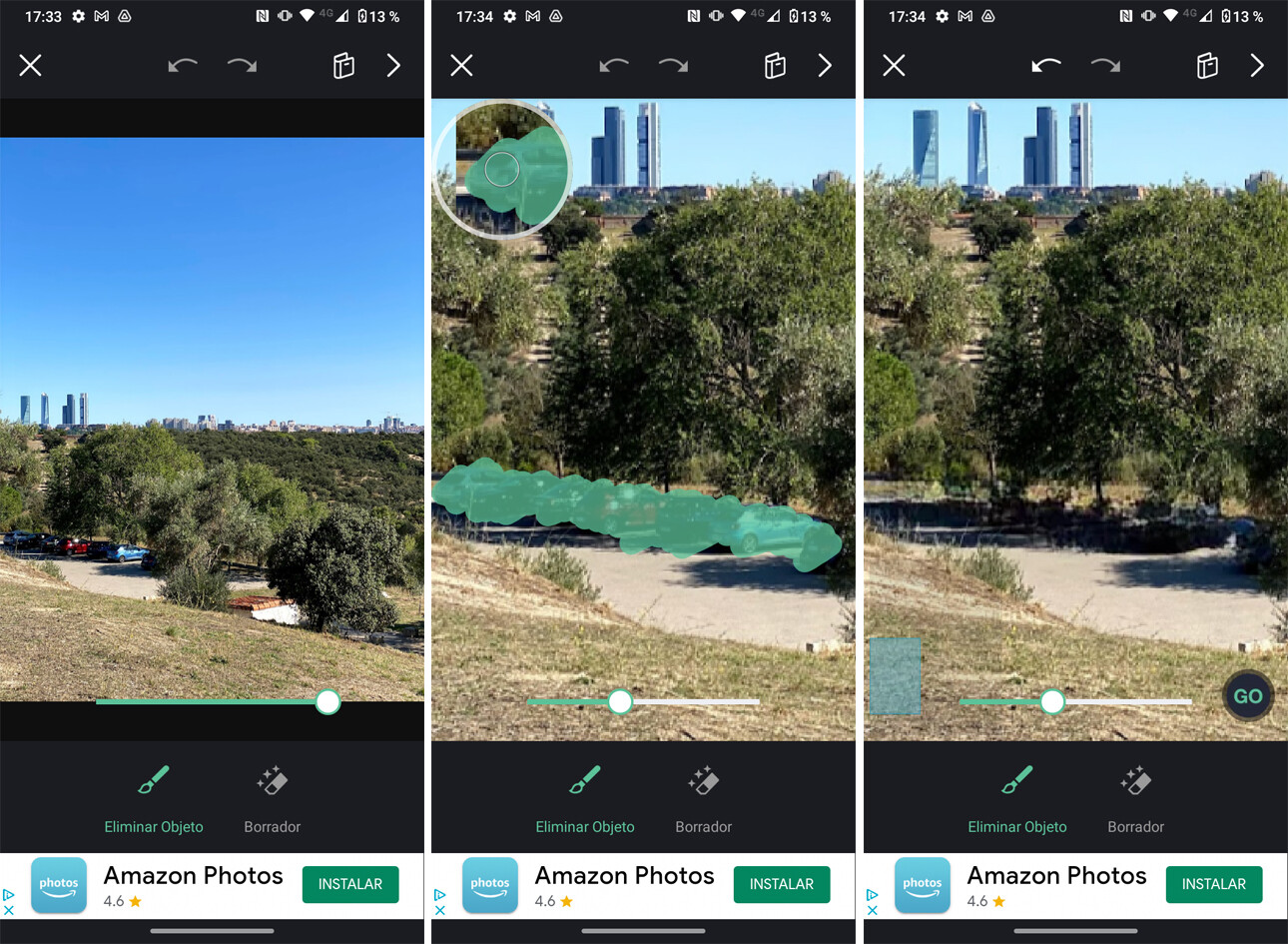
Besides cloning pieces of the image, correcting imperfections and replacing the background, this free app allows you to easily remove unwanted marks and objects from your photos with your fingertip. Its operation is similar to the previous ones (marking in turquoise color), although processing is a bit slower, it has quite a few ads and only gives you the option to edit six images per week. If you want more, you have to go through the box.

Retouch – Delete objects
- Developer: VideoShow EnjoyMobi Video Editor & Video Maker Inc
- Download it on: google play
- Price: Free
- Category: Photography
Photoshop Express editor photos

This Adobe app is also free and allows you to sign in with your Google Account, although it offers optional purchases. his “Repair” tool It works very similar to the Lightroom correction brush (which is only available in the premium version): just tap on what you want to remove and ‘Photoshop Express’ will take care of erasing it by applying the stamp cloning. The result is not as good as the others.

Photoshop Express editor photos
- Developer: Adobe
- Download it on: google play
- Price: Free
- Category: Photography
Table of Contents


