
Although Apple introduced them in iOS 14, widgets have been a feature of Android for quite some time. They don’t matter as much as they did a few years ago, but they’re still a good option for customize our android in a simple and free way. And on top of that, we have apps like KWGT at our disposal to design them to your liking.
Below we list those that we believe are these are the best widgets on android, depending on both their interface and the features they offer. As you’ll see, the list includes everything from some weather checkers to calendars, quick functions you can launch with a single tap and much more.
Month

In case of server, Month is the first widget app I install on my phone during initial setup. This is one of the best calendar widgets for Android. It has synchronization with the Google calendar but, unlike that, it allows us to choose between several rather striking designs. It is completely free and works very well. There is advertising, but once we apply the widget, it doesn’t pop up until we open the app to search for themes, so that’s not a major downside.
Month
Another Widget

Google Pixels includes a very nifty little widget with information about the weather, day of the week, and upcoming calendar events, all occupying a single row on the desktop. Another widget brings the Pixel widget to the rest of Android phones, which can be configured in seconds. It syncs with Google Calendar to show events and shows up-to-date weather information.

Another Widget
Google Drive Analyzer

google drive a a function to quickly scan documents. If we don’t want to open the application every time we want to scan a document, we only have to add the Drive widget to the desktop. When we click on the camera icon, all we have to do is take the photo and it will automatically be processed in Drive, where we can edit it and even save it as a PDF file.
Google Drive
Todoist

Todoist is one of the best task apps for Android and, among its advantages, there is a series of quite complete widgets that will remind us at a glance all we have to do. Moreover, the widget allows you to quickly add events without even opening the app, which makes interacting with the app more than convenient.
Todoist
Shazam

If you are one of those who use Shazam when they want to know the name of a song, know that there is no need to open the app and give it the song recognition every time you use it. Just add the widget to the desktop and click on it. This is the easiest way to use the application, because we get its main function with just one click.

Shazam

Although at the design level it is completely neglected, the whatsapp widget is wonderful to read without being seen. The conversations are reflected in the widget without having to open the application, so we do not appear online and the blue double tick will not be marked if we read the conversations from it.


netflix

Although little known, the Netflix widget is useful for find out what’s new in series, movies and other content no need to open the app. It takes up a lot of space as it shows thumbnails of content, but we can refresh it to see what’s new on Netflix. If we click on it, we access the app, so it’s a good way to stay up to date without having to go to Netflix every day.

netflix
Configure widgets

This widget allows us configure all phone shortcuts on the desktop, so you don’t have to scroll down the notification bar. We can adjust the accesses we want and move the widget to a comfortable position to manage WiFi, data, Bluetooth and others quite quickly.

Widget Parameter
Google Calendar Calendar

If we want to have an agenda at hand and not so much the complete calendar itself, the Google Calendar app is the solution, its first widget is an agenda that shows us the events that we have pending, occupying a fairly small space compared to the full calendar. It is a good option to place on one side of our desk, to be able to quickly consult the agenda of the day.

Google Calendar
gmail
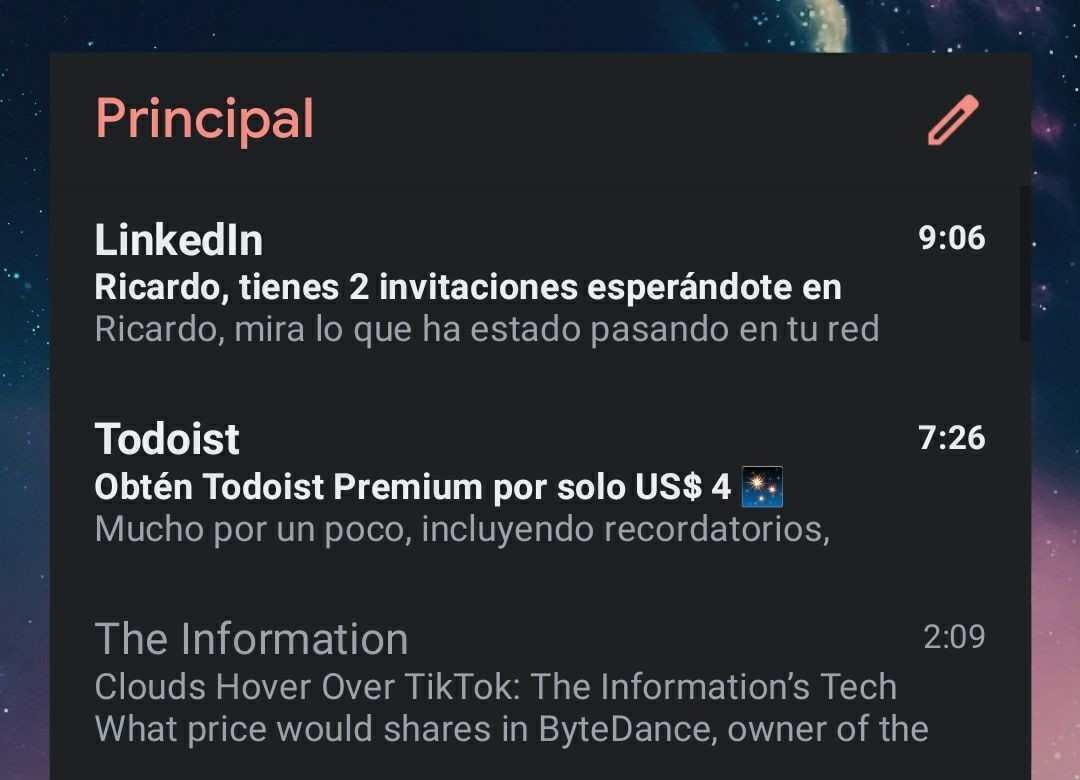
The Gmail widget is very useful for view inbox emails without opening app. At a glance, we can access the entire inbox. Be an interactive widget allows scrollingwe can therefore go down emails to see them all, it is not limited to those we see at first glance.
gmail
- Price : Free
- Developer: Google LLC
- To download :
Today’s weather
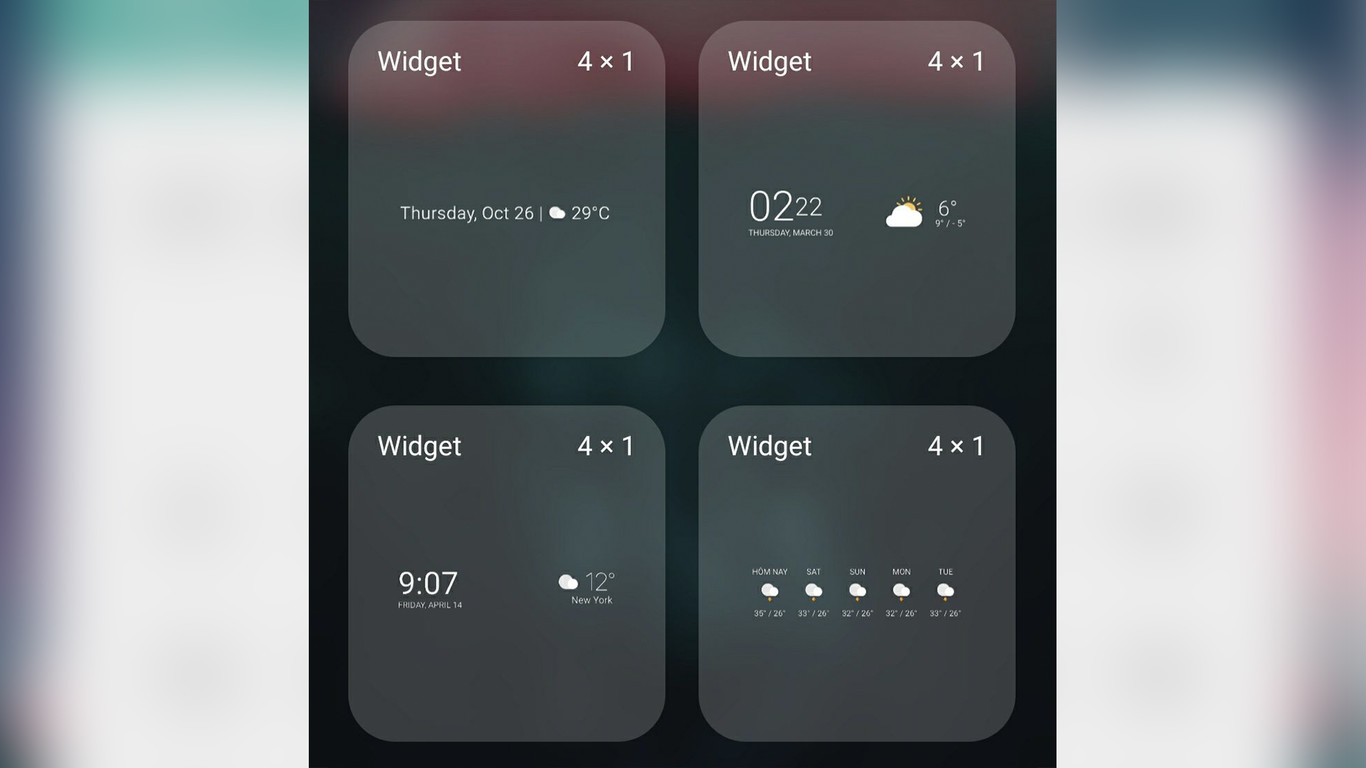
Today Weather is an excellent weather application and, in addition, it allows us to configure a series of custom widgets. It stands out mainly because the number of widgets is more than considerable, and their interface is quite minimalist. Time of day, week, humidity, chance of rain, wind, etc. We have both individual widgets and full widgets.

Today’s weather
Chronicle

Chronus includes a series of widgets for clock, weather, news, tasks, finance and calendar. Its great variety is one of its greatest qualities, in addition to having great visual care. These widgets can be customized and they are the most complete that we find on Android.

Chronicle
yazio

Regarding health, Yazio is one of the best applications to control calories and take our food to the millimeter. It can be somewhat tedious to constantly open the app to see this data, so we have a widget that solves our lives a lot. In this fairly simple widget, we are shown the goal for the day, the calories consumed and those remaining, so that at all times we know how we are doing with the macros. If we want to add a food, we have a small button to do it directly.

yazio
To hurry up

harry is a very neat visual calendar widget. It allows us to see the events and the time they have left to be fulfilled, all in a fairly visual and comfortable way. We can customize both colors and images of the same widget.

To hurry up
Action blocks

Action Blocks is a little-known application from Google that allows us create widgets with shortcuts to certain functions. For example, you can create a widget that works as a shortcut to call your family, set an alarm, or any function the Google Assistant allows. The application is in English but it is very easy to use.

Action blocks
Spotify

We are talking about Spotify because it is the most popular but if you are using another music and podcast streaming app then you cannot miss its widget on your phone. which concern us, in addition to control reading, it is possible to see the title, artist and album cover of what your mobile is playing. Of course, it is available in different sizes.
Spotify
Table of Contents


