
If we are looking for a GPS Navigator for Android We’ll find dozens of alternatives on Google Play, but not all of them are this good and comprehensive. Very few options are the best.
Although virtually all devices sold come with Google maps From the factory there are users looking for an alternative or wanting to know if Google’s option is the best. This is why we are going to review the best GPS navigators, see its pros and cons, and know which one is the best of all.
What do we ask of a GPS navigator?
What we ask of a GPS navigator is that be easy to use and take us to our destination the first time, with clear and simple instructions. The most important features to consider when choosing a GPS navigator are:
-
Plans: the most important thing about a GPS navigator is that your cards are up to date, so that there are all the new streets, new roundabouts and road changes.
-
Without connection: This allows us to download your maps to work without a data connection, so that we can continue to use the app without coverage.
-
Circulation: Let the GPS navigator inform us of traffic jams and accidents to avoid the dreaded retention.
-
Speed alerts: Let us know with alerts when we have exceeded the road speed limit.
-
Radars: To inform us of the presence of fixed or mobile speed cameras.
-
Alternative routes: That we can decide which route to choose to reach our destination.
-
Stops: Being able to make several stops in different directions before reaching the destination of our trip.
-
Modes: Different ways to get to our destination: car, motorcycle, public transport, walking, cycling, etc …
-
Route options: Being able to avoid tolls, highways, unpaved roads, etc.

Our selection of candidates
In our comparison, we have selected the Seven Most Popular GPS Navigators from Google Play, those with the most downloads and positive reviews, and also recently updated their app. Our candidates are:
Google maps

Of course, we start our comparison with Google maps, the most used GPS navigator on Android, and the best alternative for several reasons. It has a very minimalist interface, it is very easy to use and has voice commands to use it without having to touch the screen.
Your maps are updated daily, like information from million trading tokens. It allows us to download regions, share our location in real time, add stops, see alternative routes while driving Google, avoid being late at our destination thanks to the traffic information in time real. In addition, it will inform us of the presence of speed cameras, speed limits and incidents on the road.

Maps – Navigation and public transport
Waze

Waze, also from Google, is a GPS navigator that stands out for its large driver community They share traffic and road information in real time. It is unmatched in traffic alert information.
Its maps are the same as those of Google Maps, so they are always updated but with the advantage that we will see more information on traffic incidents. Here we will have speed alerts and speed camera warnings. We can also share our routes with our friends. The only downside is that cannot be used offline. Like Google Maps, Waze is completely free.

Waze – GPS, maps, traffic alerts and navigation
- Developer: Waze
- Download it on: google play
- Price: Free
- Category: Maps and navigation
Here we are
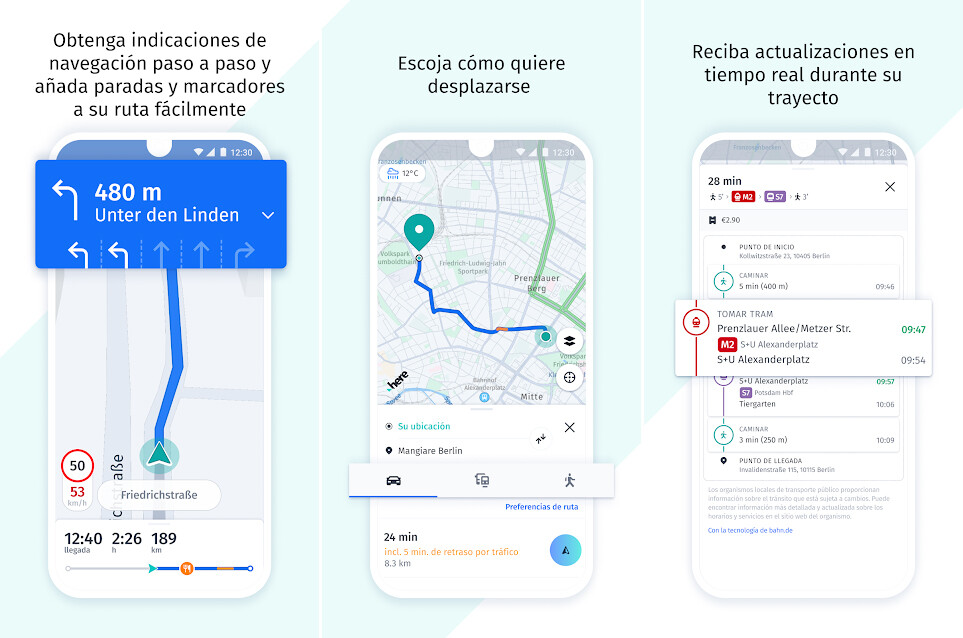
We continue our comparison with Here we are, which a few years ago was the Windows Phone mapping application until Nokia sold its mapping service to a consortium of Audi, BMW and Daimler.
Here we are It’s also a completely free GPS navigator, and the best alternative to Google Maps. It has a very neat interface. It allows us to download your maps by continents, countries or indigenous communities, it contains traffic information and speed alerts. What it does not allow is to add stops, to share our position in real time or to view speed cameras. Of course, their maps are updated four times a year.

HERE WeGo – GPS, metro and bus
Sygic
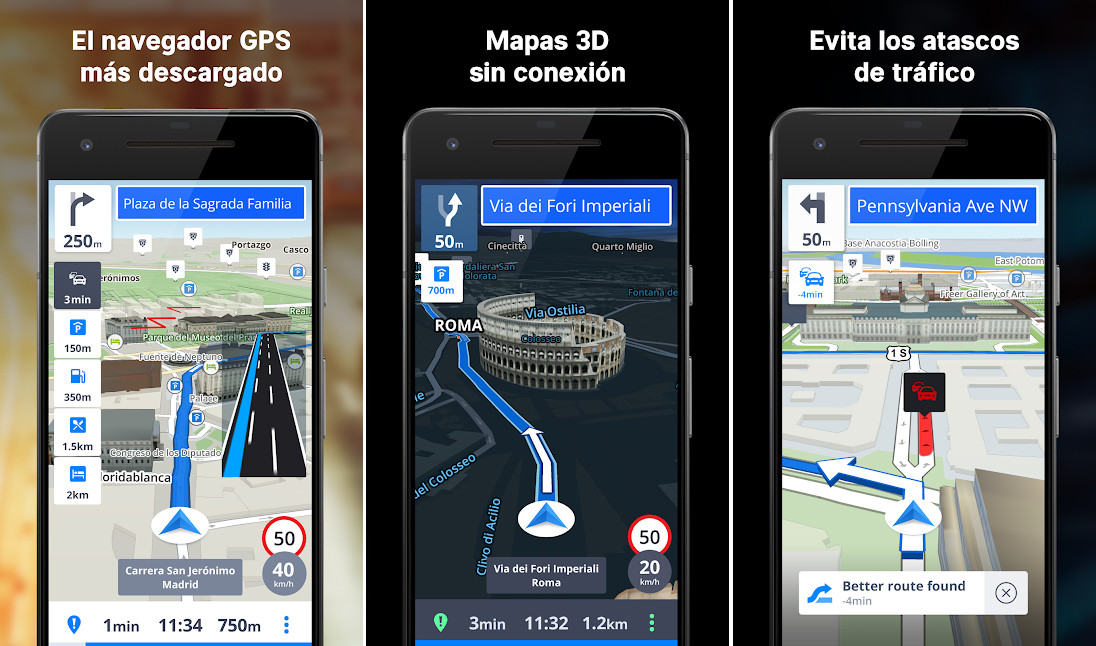
Sygic It is the most downloaded alternative to Google Maps on the Play Store. It is a free downloadable GPS navigator but there are some payment featuressuch as traffic information, voice instructions or some of your maps. They allow us to test all its functions for 7 days.
If we pay 19.99 (Europe) or 29.99 dollars (World), we will enjoy navigation with voice instructions, speed limits, heads-up display and real-time traffic service. Of course, he only has the modes to go by car or on foot. It is the navigator with the best transport options.

GPS navigation and Sygic maps
- Developer: Sygic.
- Download it on: google play
- Price: Free with in-app purchases
- Category: Maps and navigation
Cards Me

Sygic routes, Cards Me is the second most downloaded alternative GPS navigator, free, with five navigation modes and using maps OpenStreetMap, which are updated daily.
Cards Me allows us to download your maps by country and by indigenous communities. It doesn’t have speed alerts but it does have speed camera warnings. It also does not offer alternative routes and its points of interest are rare.

MAPS.ME – Offline Maps with GPS Navigator
- Developer: My.com BV
- Download it on: google play
- Price: Free with in-app purchases
- Category: Visits and guides
TomTom friend

TomTom friend, the most recent browser of the entire selection. Released in 2021, this is the completely free version of TomTom, with a focus on competing against Waze.
At TomTom friend We have found a simple and easy to use GPS navigator where we will find speed cameras, speed limits and where, like in Google Maps and Waze, we can report traffic incidents. The only downside we found is that, like Waze, the maps cannot be downloaded.

TomTom AmiGO GPS Navigation-Traffic maps, speed cameras
MapFactor navigation

Finally, we end our selection with MapFactor, another highly downloaded and popular GPS Navigator in Google Play, but one of our picks it’s the one with the worst interface.
MapFactor It’s free, but offers several payment options, such as real-time traffic information and alternative payment methods. Your free OpenStreetMap maps are updated daily and your maps are downloaded by country. Too allows you to buy TomTom maps. It has speed cameras, speed warnings and blocking certain streets. It is the only GPS with truck mode.

MapFactor GPS Navigation Maps
- Developer: MapFactor
- Download it on: google play
- Price: Free with in-app purchases
- Category: Maps and navigation
Which browser to choose?
Next, we leave you a comparison table with the most important features of the analyzed GPS navigators, so that you can see the pros and cons so that you can decide which GPS is best for your needs.
|
Google maps |
Waze |
Here |
Sygic |
Cards Me |
TomTom friend |
MapFactor |
|
|---|---|---|---|---|---|---|---|
|
Plans |
They are updated daily |
They are updated daily |
They are updated 4 times a year |
They are updated 2 to 4 times a year |
They are updated daily |
They are updated every week |
Maps are updated daily |
|
Without connection |
Yes |
No |
Yes |
Yes |
Yes |
No |
Yes |
|
Circulation |
Yes |
Yes |
Yes |
Yes (payment) |
Yes |
Yes |
Yes (payment) |
|
Speed alerts |
Yes |
Yes |
Yes |
Yes |
No |
Yes |
Yes |
|
Speed cameras |
Yes |
Yes |
No |
Yes |
Yes |
Yes |
Yes |
|
Alternative routes |
Yes |
Yes |
Yes |
Yes |
No |
Yes |
Yes (payment) |
|
Points of interest (POI) |
Yes |
Yes |
Yes |
Yes |
Yes |
Yes |
Yes |
|
Modes |
|
|
|
|
|
||
|
Route options |
|
|
|
|
– |
|
|
|
Stops |
Yes |
Yes |
No |
Yes |
No |
No |
No |
|
Price |
Free |
Free |
Free |
7-day free premium trial |
Free |
Free |
Free with in-app purchases |
| Android Auto |
Yes |
Yes |
No |
Yes |
No |
Yes |
No |
|
Other |
|
|
|
|
|
Our winning options are Google maps Yes WazeThey are the ones who offer the most up-to-date maps, the best information on points of interest and the best real-time traffic information. Above, they are completely free. Plus, you don’t need to download their maps to use their apps, like in Here WeGo. In the rest of the alternatives, you have to download their maps to work.
Table of Contents


