
As most devices wait for the Android 12 update and Google finalizes the Android 12L launch for the next quarter, we can see how the leaks of Android 13, which would mean its development version could also arrive earlier this year.
If yesterday we saw that Android 13 will allow you to change the language of applications, now we see the screenshot of this and other news that XDA Developers has published exclusively.
This is the first novelty of Android 13
A source from XDA Developers had access to a the very first version of Android 13 to give us a first look at the next big update for Google’s mobile operating system. The source is reliable, since it is the one that brought us the first details of Android 12 and Android 12.1 (Android 12L) in the past. They are notably four new Android 13 features leaked, which are as follows:
Application languages
The first novelty is the one that was leaked yesterday, but it does so today with the first screenshots, confirming all of its details. In the settings of Languages and text input the new option will appear in Android 13 Application languages. There we can change the language of each of the applications in case we want them to display the texts in a language other than the system language.

From Application Info we will also have access to the setting language to change the language directly from this section. With what in Android 13 we can change the language of an application from two sections.


Execution authorization for notifications

A new authorization will come on Android 13, and it will be the opinion. It looks like in the next version of Android the user will have to allow an app to send notifications to the user. Currently, by default, all apps can send notifications and the user must block them. With Android 13, it will be the other way around.
Saving Android resources
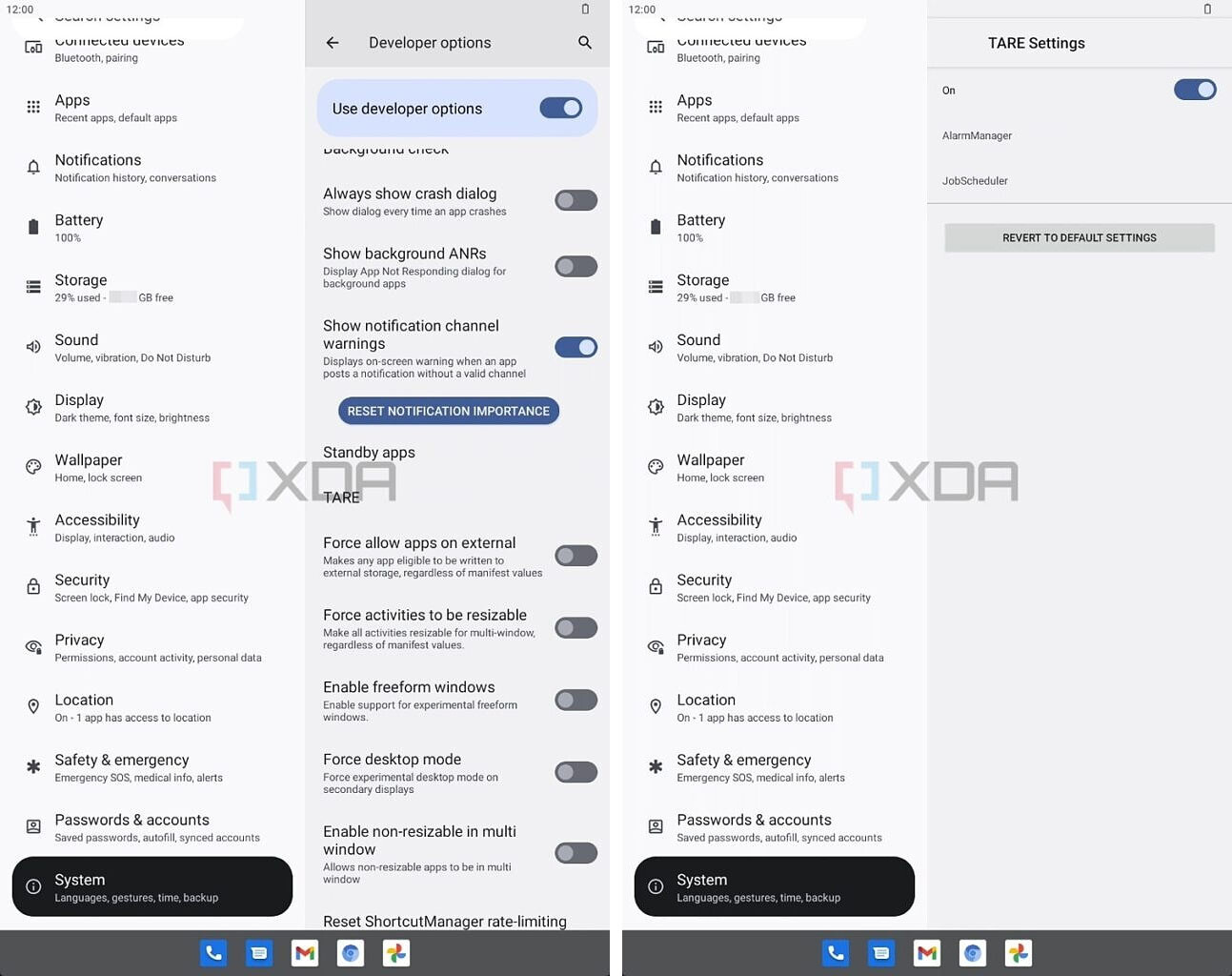
Saving Android resources, or TARE for short, will focus on managing power consumption on the device through a developer function. In the absence of documentation, its operation is unknown but it seems that developers will be able to set limits on the number of tasks depending on the battery level for save resources.

Lock screen clock designs
Ultimately, Android 13 will allow you to customize the lock screen clock. In Android 12, by default, it shows a large clock when there are no notifications and a small clock when there are. In Android 13, it can be configured to always display the small clock.

Via | XDA Developers
Table of Contents


