
Mid 2019 Spotify launched the car view for its Android users, a new streamlined interface that was activated when the car’s bluetooth was detected and made it easier to view and edit car songs but now the company at the surprise many users eliminated.
For several days Spotify for Android no longer supports car view, and according to the company, it’s not because they don’t want their users to listen to Spotify while driving, but rather explore new ways to deliver the best in-car experience, and while they are working on it through their support forum, they inform users of alternatives to listen to Spotify in the car.
13 TIPS to get the most out of GOOGLE MAPS
Spotify in the car

The current interface of Spotify for Android It is not at all comfortable to use in the car, because its letters and buttons are not intended for use when we are sitting in a car and with the mobile placed on the dashboard, and otherwise our car will not not Android Auto we will have to use the Google Assistant on mobile, which is currently the safest and most comfortable way to listen to music from mobile.

The closest thing to Spotify car view It is found in the new driving mode of the Google Assistant. In this new interface, it allows us to access a version of Spotify suitable for the car, showing a simplified player with large buttons which is convenient to see and use when we are standing in the car.

But as Spotify support reports, the best way to use Spotify in the car is through the Google Assistant hands-free. With the commands “Hey Google, listen to Spotify” or “Listen [artista/canción/álbum]“We can already listen to our favorite music while driving.
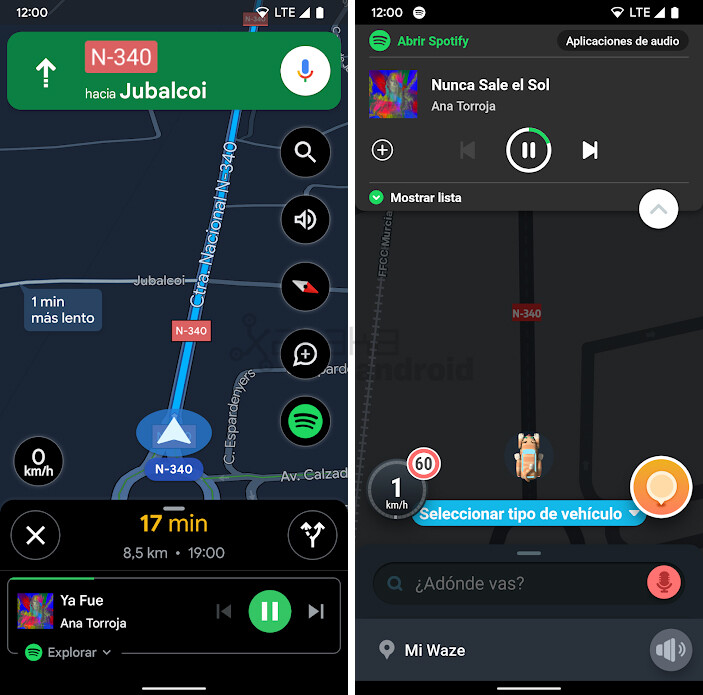
In addition, these voice commands to control playback also work on Google maps, which also shows a built-in Spotify player, as in Waze.
Via | Android Police


