
Your iPhone ruins your life. Or at least, that distracted you – as much as possible.
Each application wants to send you notifications, and he wants to give you a ping with a kind of alert several times a day in the hope that you will open and use the application. Catching your attention is the way applications lead you to use them, and the success of applications is measured by the amount of use. It's a Attention economy Where those who manage to pay attention to you are rewarded.
But it's not good for you. It distracts you from your life and makes you focus on things that are not important. Or worse: your locking screen is full of notifications that you miss what is important in all the noise. Apple has tried to solve this problem with features such as planned notification summaries, development methods and, more recently, the priority and summaries of the notification supplied by AI.
But that only puts the flow of iPhone notifications in more boxes. It will never make you your life. What you need to do is extinguish them. This is a three -step process that takes five or 10 minutes and will make a huge difference in your daily quality of life.
First step: turn off everything!
The first part of this process is to literally deactivate all your notifications. Don't worry, we're going to return important in a second, it won't stay like that.
But if you are like most people, when you start using a new application, you press Next … Yes … Okay … at all contextual windows and just try to use the application. Most people have fully activated notifications on dozens of applications.
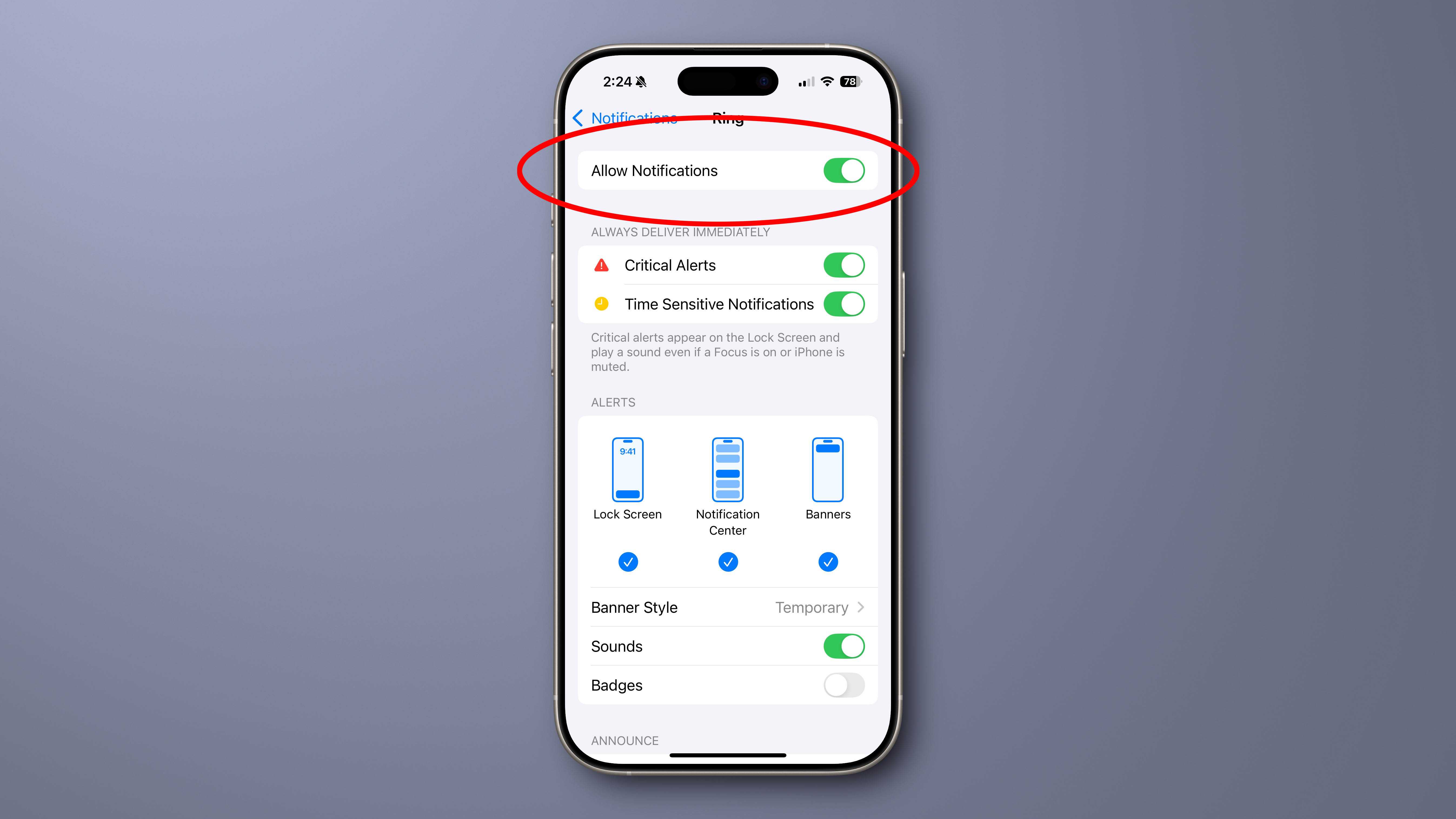
So open the settings, then press NotificationsAnd scroll down to the list of applications. You must press to open each application, then deactivate the Allow notifications Go to the top, but it's an imperative step. Simply fly your large list of applications, by turning them all one by one. It's tedious, but it doesn't really take so long.
Foundry
Second step: activate notifications for urgent applications
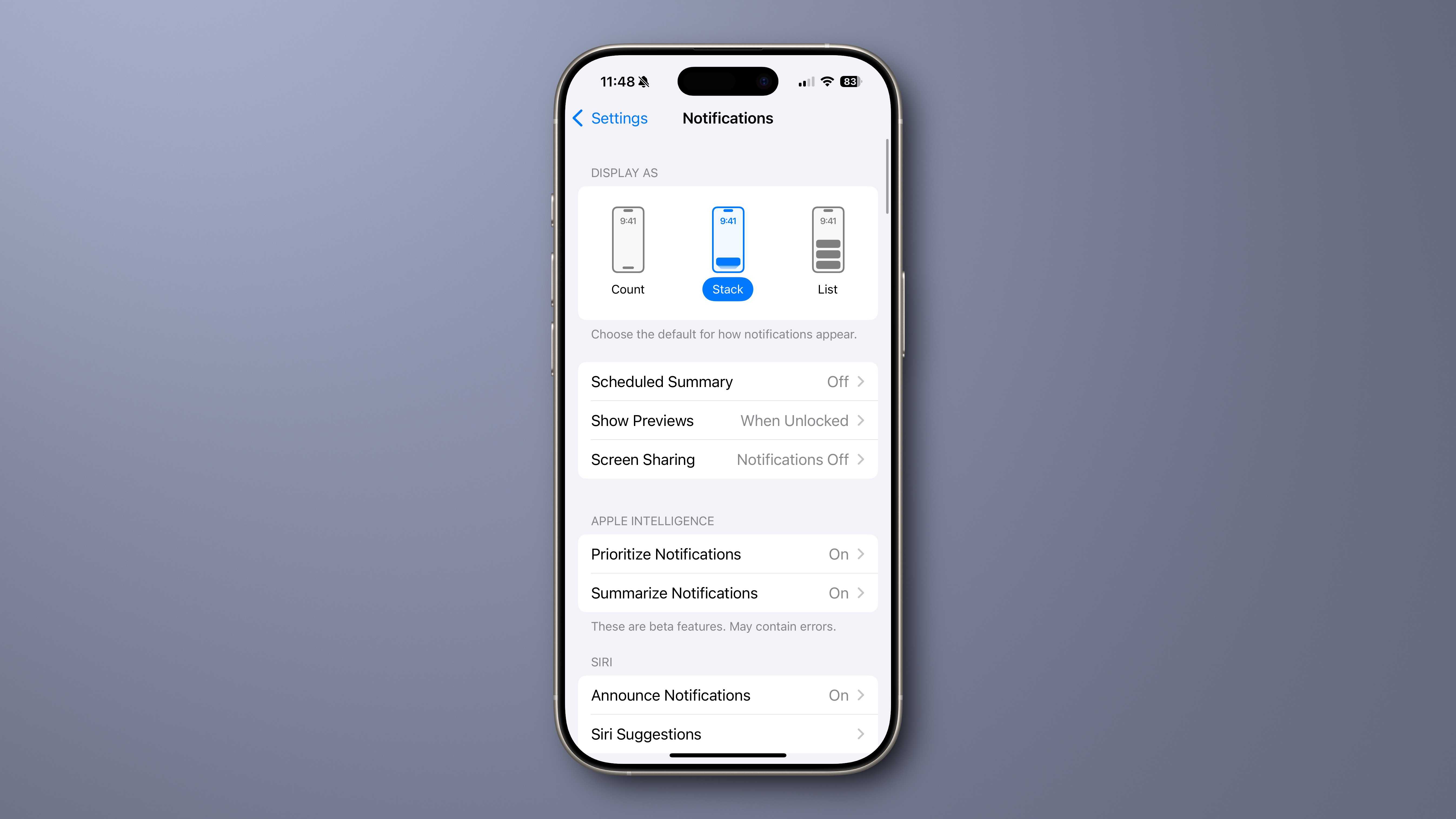
The next step is to reactivate notifications only on the applications on which you wish to act right away. Telephone, facetime, messages, perhaps WhatsApp or your favorite text application, your alarm system or security cameras, the application of your car if it is the type of connected model that sends you notifications on alarms or open doors.
Try to resist the urge to activate the notifications on the applications you love and use every day simply because you love them. This is particularly true for social media applications and streaming services like YouTube or Netflix. Nothing that these applications inform you should be dealt with as long as the notification enters, so they will all stay away until the next step.
Consider this: if you frequently open an application, what value does a notification add? You will see everything you open the application. If you don't, do you really need to see an alert? The notification is just another flashing and noisy distraction trying to exploit a compulsive dependence to obtain a quick stroke of dopamine.
Most people should only have a handful of applications that are part of this category “Immediate action required”.
Foundry
Third step: silent notifications for a few other applications
The notifications are not completely useless as a way to obtain a kind of summary of what is happening in the applications, but you do not need to let them ask so hard for your attention. Now that you only have a few urgent action applications that can inform you and all others are deactivated, it is time to allow silent and discreet notifications on a few other applications.
The objective here is to have notifications that do not draw your attention, but always provide useful digestion of what is happening in your applications when you wish.
Many applications, no doubt most of them should still have been completely deactivated. But for some who provide real useful notifications that help you decide whether you have to jump in an application or not, consider the following parameters:
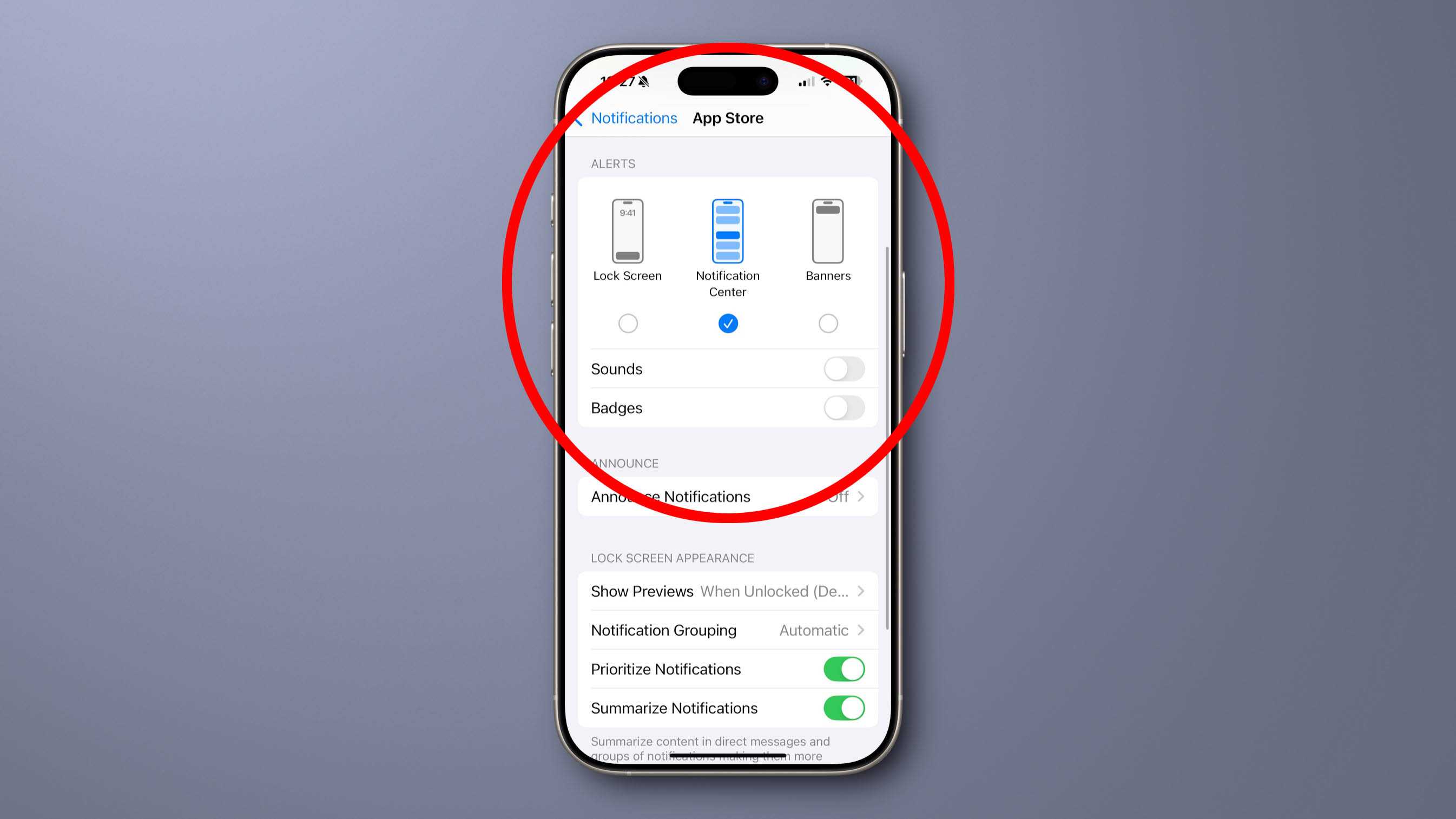
In Parameters > NotificationsPress the application in question.
Reorient notifications, but turn off the alerts on the lock screen and banners, leaving only alerts in the notification center.
Also turn off sounds and badges. You don't need pings and red dots – these are designed to attract your attention, and you want these notifications to be there only when you are looking for them.
Foundry
The idea is to allow notifications to come “in the background” without using visuals or sounds to attract your attention. When you want to see your notifications, you can slide at the top of the screen to open a notification center and look at them through your rhythm. You can also choose to add them to the expected summaries that appear at 8 a.m. and 6 p.m.
If everything is going well, you spent about 10 minutes to play with your notification settings. Most of them will be disabled, and among those who are only activated a handful of applications really “to act now” can draw your attention with sounds or banners.
It will seem dramatic at first, but give it a week and you will wonder why you have never let all these applications control your time and your attention.


